Apple Watch ECG: Use, Interpreting the Results and Medical Limitations
The ECG (electrocardiogram) is a medical test carried out by a cardiologist, a general practitioner or a nurse, which produces a graphic trace showing how the heart works with each beat. Electrodes are placed on the patient's chest, arms and legs to pick up the heart's electrical signal. It can detect possible heart rhythm abnormalities (arrhythmias), damage to the heart muscle (following a heart attack, for example) and disturbances in the heart's electrical conduction.
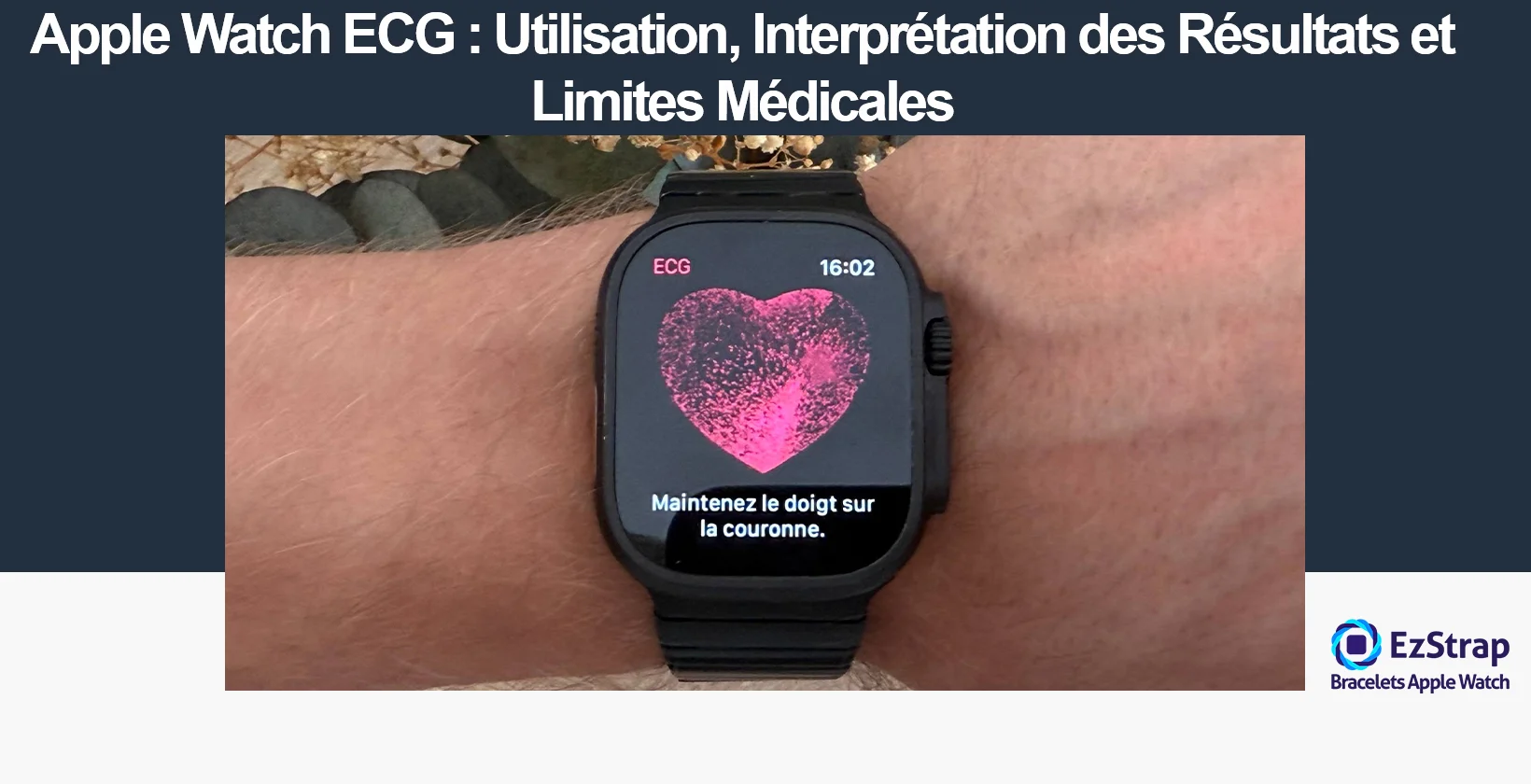
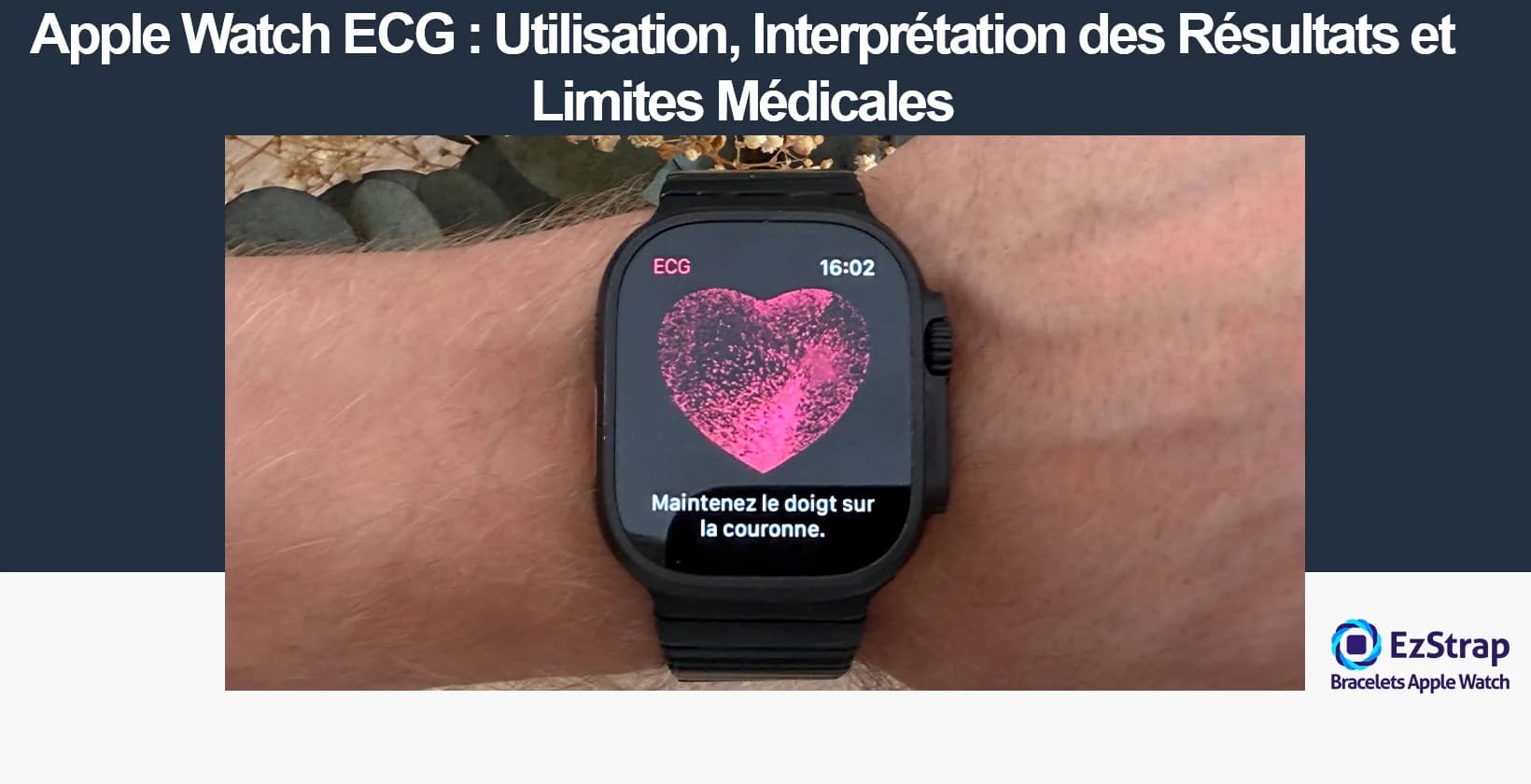
The ECG app on the Apple Watch Series 4 and later, as well as the Ultra models, makes it possible to carry out a similar test from your wrist. It produces a trace comparable to a single-lead ECG, simpler than the standard 12-lead medical test. The aim is not to make a diagnosis, but to analyse the electrical signal for signs of atrial fibrillation (AF), one of the most common serious cardiac arrhythmias. This complete guide will explain in detail how to get the most out of the Apple Watch ECG app, from proper use to interpreting the results, including the important medical limitations you need to be aware of.
What is the Apple Watch ECG app?
The ECG (electrocardiogram) app on the Apple Watch is a built-in medical app that lets you record an electrocardiogram from your wrist, that is, a recording of the heart's electrical activity.
Using the Apple Watch's electrical sensor, the ECG app generates a trace comparable to that of a single-lead ECG (lead I): it provides information on heart rate and rhythm, and in particular detects the presence of atrial fibrillation (AF), a common arrhythmia. The user can start a recording at any time by placing a finger on the watch's Digital Crown for 30 seconds.
When the recording ends, a result is displayed (for example: sinus rhythm, atrial fibrillation, low or high heart rate, inconclusive result) with the option of adding symptoms. Results can be viewed in the Health app on the iPhone and shared with a healthcare professional if needed.
It is therefore a tool for screening and personal monitoring of heart rate, but it does not replace a full medical diagnosis (such as a 12-lead ECG at the doctor's surgery). The app is intended for users aged 22 and over.
How does a medical electrocardiogram (ECG) work?
The ECG (electrocardiogram) records the heart's electrical signals. The trace obtained corresponds to the electrical currents naturally produced by the heart with each beat. These signals control and synchronise the contraction of the different parts of the heart muscle to allow the blood to circulate. They are recorded using electrodes stuck to the skin (chest, arms, legs); these pick up the tiny impulses that travel through the heart and transmit them to the ECG machine.
How is a standard medical ECG carried out?
Here is how a medical ECG takes place.
- Electrode placement: 10 electrodes are positioned to record 12 standard leads, in order to view the heart's activity along several anatomical axes. Incorrect placement can lead to erroneous results; great care is required.
- Signal collection: the machine picks up the heart's electrical activity and records it as a continuous trace. This is a passive measurement: no electricity is sent to the patient.
- Technical analysis of the trace: the healthcare professional checks the quality of the recording (stable signal, no interference, properly calibrated machine, patient identification, etc.).
Here are the elements that allow the trace to be analysed accurately:
- P wave: depolarisation (contraction) of the atria.
- PR interval: conduction between the atria and the ventricles.
- QRS complex: contraction of the ventricles.
- ST segment and T wave: repolarisation (recovery) of the ventricles.
- QT interval: duration of the electrical systole.
Medical interpretation:
The doctor systematically looks for any abnormality (rhythm disorders, abnormal slowing or speeding up, conduction blocks, myocardial ischaemia, heart attack, enlargement of the heart chambers, etc.) while taking the patient's clinical context into account.
Every reading is carried out electrode by electrode and lead by lead, in a methodical way, starting with the basic characteristics of the heart rhythm.
The interpretation requires informed reasoning, which cross-checks the ECG and clinical data to avoid false conclusions.
This precise protocol ensures that the ECG remains an essential tool for screening, diagnosis and monitoring in modern cardiology.
How does the Apple Watch ECG work?
The single-lead ECG performed by the Apple Watch is obtained using just two electrodes instead of the 10 electrodes used in a standard medical ECG: one placed on the back of the case (in contact with the wrist) and the other built into the Digital Crown, on which the user has to place a finger. When the recording is started, an electrical circuit is created between the left wrist (where the watch is worn) and the right finger (Digital Crown), making it possible to measure the electrical signal passing through the heart from a single direction: that of lead I of the medical standard (right arm to left arm).
How it works in detail: the Apple Watch single-lead ECG
Here is the comparison table between a single-lead ECG performed by the Apple Watch and a medical ECG performed by a cardiologist.
| Apple Watch ECG (1 lead) | Medical ECG (12 leads) |
|---|---|
| Electrodes 2 (wrist and finger) | Electrodes 10 (chest, arms, legs) |
| Angles of the heart 1 only (lead I) | Angles of the heart 12 angles (leads I, II, III, etc.) |
| Information provided Rhythm, rate, AF | Information provided Rhythm, rate, heart attack, ischaemia, enlargement, conduction, etc. |
| Conditions detected AF, brady-/tachycardia | Conditions detected Heart attack, localised ischaemia, conduction disorders, enlargement, etc. |
| Use Screening/personal monitoring | Use Full diagnosis, intensive care |
| Limitations Not suitable for diagnosing ischaemia/heart attack or localised disorders | Limitations The medical gold standard |
Which Apple Watch has ECG?
The Apple Watch models with the ECG (electrocardiogram) function are:
- Apple Watch Series 4 and later models
- Apple Watch Ultra (1 and 2)
This feature relies on an electrical heart rate sensor built into the Digital Crown and the back of the watch.
Which Apple Watch does not have ECG?
The following models do not have the ECG feature:
- Apple Watch SE (all generations)
- Apple Watch Series 3 and earlier
- Apple Watch Nike and Hermès, when they are based on an SE (which is sometimes the case with special editions)
What does the ECG app look for?
The Apple Watch ECG app is designed to screen for heart rhythm abnormalities, and more particularly atrial fibrillation (AF), which is one of the most common and highest-risk arrhythmias in adults.
To do this, the app records an electrocardiogram from the wrist (similar to lead I of a medical ECG) and analyses the trace to detect:
- Sinus rhythm: normal heart rhythm
- Atrial fibrillation: irregular and often rapid rhythm
- Inconclusive reading: if the recording is of poor quality or does not allow a conclusion to be drawn
- Notification: if the heart rate is too low or too high during the recording (depending on the app version)
How do you use the ECG app?
Once you understand the technology, using it day to day is simple and quick. However, it is essential to follow the correct procedure so that you get a reliable recording that you can, if necessary, show to your doctor. Here is the step-by-step guide.
Prerequisites for taking the ECG test: compatibility, region and setup
Before you can record your first electrocardiogram, make sure your equipment and settings are correct. Here are the prerequisites:
- Hardware compatibility: You must have an Apple Watch Series 4 or a later model, or any Apple Watch Ultra model. The ECG app is not compatible with the Apple Watch SE.
- Operating systems: Your iPhone must be updated to the latest version of iOS and your Apple Watch to the latest version of watchOS.
- Geographical availability: The ECG feature is not available in every region. You need to check that your country or region is covered by Apple.
- Age restriction: The ECG app is not designed to be used by people under 22.
- Setup: The app is set up via the Health app on your iPhone. Open the Health app, tap the "Browse" tab, then "Heart" and "Electrocardiograms (ECG)". Then follow the instructions to set up the ECG app.
How do you take an electrocardiogram (ECG) with the Apple Watch?
- Check the fit: Wear your Apple Watch snug but comfortable on your wrist to ensure optimal contact between your skin and the sensors. This is essential for a good-quality ECG.
- Open the ECG app: On your Apple Watch, find the ECG icon and launch the app to start a recording.
- Position your arms: Sit down and rest your forearms on a table or on your thighs, so that you are relaxed and still while the ECG is being taken.
- Place a finger on the Digital Crown: With the hand opposite to the one wearing the watch, gently place a finger on the Digital Crown and keep it there for about 30 seconds, without pressing.
- Add symptoms if needed: After the recording, if you feel any symptoms (palpitations, fatigue, shortness of breath, etc.), you can add them directly in the app.
- View and share your result: The trace and the classification appear on the screen. You can find the history of your results in the Health app on the iPhone and share them with a healthcare professional if necessary.
How can you optimise the results for a reliable trace?
To optimise the results and get a reliable ECG trace with the Apple Watch ECG app, here are a few recommendations to follow:
- Make sure your wrist is dry: sweat, creams or water can disrupt the contact between your skin and the sensors.
- Stay still during the recording: do not talk, move or tense your muscles.
- Move away from electrical devices: keep away from computers, microwaves, phones that are charging, or any other electronic equipment that could cause interference.
- Pay particular attention to how the band fits: it must be snug but comfortable to ensure firm and even contact between your skin and the watch's sensors. A poorly fitted band can affect the quality of the ECG trace.
- Check the contact of the rear sensor: make sure it is in direct contact with the skin, with no clothing or objects in between.
To ensure an optimal and reliable trace, choosing a suitable band is essential. Choose an Apple Watch band that fits your wrist properly.
What do the ECG app results mean?
After the analysis, the ECG app gives one of the following results. Whatever the result, if you do not feel well, you should consult your doctor.
- Sinus rhythm: the heart rhythm is normal and regular, with no sign of arrhythmia detected.
- Atrial fibrillation (AF): an irregular heart rhythm is present, indicating a common arrhythmia that may require medical follow-up.
- Low or high heart rate: the measured rate is outside the normal limits, which may indicate bradycardia or tachycardia.
- Inconclusive result: the recording did not allow a clear diagnosis to be reached, often because of a poor-quality signal or interference.
- Other notifications: sometimes, the app may report temporary problems or indicate that a new recording is needed.
1. What is a normal result (Sinus rhythm)?
Sinus rhythm is a normal heart rhythm, initiated by the sinus node, a structure located in the right atrium of the heart. It is the result of regular, coordinated electrical activity, in which each contraction of the heart is triggered by an electrical wave generated by this node. On an electrocardiogram (ECG), sinus rhythm shows up as a positive P wave before each QRS complex, showing that the contraction of the atria precedes that of the ventricles in a synchronised way.
The heart rate is between 60 and 100 beats per minute in an adult at rest. However, this result only gives a snapshot of the heart's activity at the time of the recording and does not allow any conclusion to be drawn about the absence of other heart abnormalities or the occurrence of intermittent arrhythmias.
So a sinus rhythm on the ECG indicates normal electrical functioning of the heart at that moment, but is not a guarantee of good general heart health.
2. What is atrial fibrillation (AF)?
Atrial fibrillation (AF) is a heart rhythm disorder (arrhythmia) that shows up as an irregular and often rapid rhythm. It is caused by disorganised electrical activity in the atria of the heart: instead of being controlled by a single orderly impulse (normally coming from the sinus node), the atria receive many chaotic electrical signals that prevent them from contracting effectively. This disorganisation results in poorer pumping by the heart and a totally unpredictable irregularity of the heart rhythm, which can be seen on an ECG as the absence of clear P waves and a complete irregularity in the interval between QRS complexes.
Atrial fibrillation (or AF) can cause symptoms such as palpitations, fatigue, shortness of breath, chest pain or faintness, but it can also be asymptomatic. It increases the likelihood of serious complications, notably stroke and heart failure. A person with untreated AF has a fivefold higher risk of stroke.
It is crucial to consult a healthcare professional if an "atrial fibrillation" result is obtained on the ECG app and this diagnosis has never been made before, or if symptoms are present. Diagnosing and managing AF requires a full medical assessment: the ECG app is not a substitute for medical judgement and should be regarded as an alert tool.
3. What is an abnormal ECG?
An ECG is described as "abnormal" if neither a regular sinus rhythm nor clear atrial fibrillation (AF) is found. This result points to other heart rhythm abnormalities, such as paroxysmal tachycardia (a sudden, abrupt speeding up of the heart), extrasystoles (premature beats), or conduction disorders that are not clearly identified by the algorithm of the ECG device's app.
Certain factors can temporarily disrupt the heart trace without there being any serious condition: stress, nervousness, having drunk alcohol, certain medicines or tiredness affect the heart rhythm and may cause abnormal traces on a temporary basis.
However, finding an abnormal trace – especially if it is a first occurrence, with no obvious cause, or associated with symptoms such as palpitations, shortness of breath, faintness or chest pain – must lead you to seek medical advice quickly. Only a healthcare professional will be able to make a diagnosis, look for a cause and, if necessary, propose treatment. The Apple Watch should be regarded as an alert tool, and not as a device for diagnosis or therapeutic decisions.
4. What does a "Low or High Heart Rate" result mean?
The Apple Watch ECG app can report that the heart rate measured during the recording is abnormally low or high.
- Low heart rate: generally fewer than 50 beats per minute (BPM).
- High heart rate: a value above 120 or 150 BPM (the exact threshold varies depending on the watchOS version and clinical context).
These thresholds trigger an alert in the app, indicating a heart rhythm outside the expected range.
Possible causes of a low heart rate (<50 BPM)
- Taking certain medicines (beta blockers, antiarrhythmics, etc.)
- Elite athletes (physiologically low heart rate)
- Sinus node disorders (disease of the heart's natural "pacemaker")
- Hypothermia, hypothyroidism, or other metabolic imbalances
- Cardiac conduction problems (atrioventricular block, etc.)
Possible causes of a high heart rate (>120/150 BPM)
- Stress, anxiety, strong emotion
- Recent physical exercise
- Fever or acute illnesses
- Consumption of stimulants (coffee, alcohol, tobacco, drugs, etc.)
- Certain heart conditions or rhythm disorders (tachycardia)
- Pain, infections, anaemia, etc.
Official causes of an "Inconclusive" or "Poor Recording" result
- Arms moving or movement during the measurement
- Insufficient contact between the skin and the sensors (poorly fitted band, wet wrist)
- Pacemaker or medical device interfering with the signals
- Electrical interference from nearby devices (phones, computers, etc.)
- Heart rate too low or too high (outside the algorithm's analysis thresholds)
- Irregular or unknown heart rhythm that the app cannot classify
In all cases, if you receive an abnormal or inconclusive result, or if you feel unwell, it is recommended that you consult a healthcare professional for advice and further tests.
5. What is an "Inconclusive or Poor Recording" result?
An "Inconclusive" or "Poor Recording" result with the Apple Watch ECG app means that the trace could not be properly analysed or classified. Several reasons may explain this:
- The presence of a pacemaker or an implantable cardioverter defibrillator (ICD), which can disrupt the analysis of the electrical signals.
- The existence of signs of other arrhythmias that the ECG app cannot recognise (an arrhythmia other than atrial fibrillation, for example).
- A heart electrical signal that is too weak, preventing the algorithm from producing a usable trace.
- Arm or body movements during the measurement.
- A heart rhythm that is too fast or too slow to be analysed correctly by the app.
- Electrical interference from nearby devices.
- A poor fit of the Apple Watch, resulting in insufficient or uneven contact between the watch and the skin.
This type of result does not allow a reliable interpretation: it is advisable to check that the watch is correctly positioned and fitted, to stay still during the recording, and possibly to repeat the measurement.
Is the Apple Watch ECG reliable?
In an Apple clinical study of 588 people, the watch's ECG algorithm showed a specificity of 99.6% for detecting sinus rhythm and a sensitivity of 98.3% for detecting atrial fibrillation (AF) — extremely high rates confirming the device's accuracy for these two diagnoses. Recent meta-analyses, including more than 4,200 participants, found very similar values (sensitivity of around 94.8-100%, specificity above 95%).
These results put the Apple Watch in almost perfect agreement with a standard medical ECG for screening for AF and sinus rhythm, even though the watch only produces a single-lead trace (lead I).
Dr Antoine Leenhardt (Bichat Hospital), to whom Apple entrusted tests of the device, describes the quality of the trace as "surprising" and praises the watch's ability to make arrhythmia detection accessible, while pointing out that it cannot detect certain major abnormalities.
Dr Édouard Siméon (Saint-Antoine Hospital) likewise considers the watch's accuracy "surprising" for a consumer device (opinion reported in the specialist press).
Professor Martin Cowie (Imperial College London) speaks of a "genuine opportunity for innovation": this technology would represent "a major step forward" in bringing early screening, access to medical advice and patient care closer together.
Conclusion: The Apple Watch ECG is very reliable for detecting atrial fibrillation and sinus rhythm, with demonstrated effectiveness similar to the medical standard in this specific area. Professionals consider the watch promising and reliable in this respect, but stress the need to consult a doctor in case of doubt, symptoms or a detected abnormality — the ECG watch is an alert and monitoring tool, not a full diagnostic or emergency instrument.
What are the medical limitations of the ECG app?
The Apple Watch ECG app has several intrinsic limitations, directly linked to its technical characteristics and its purpose as a consumer screening tool:
- A single lead: Unlike a conventional ECG, the Apple Watch ECG records the heart's electrical activity with a single lead (lead I), which corresponds to a single axis of cardiac exploration. In other words, it only visualises one portion of the heart's overall electrical activity, which considerably limits its diagnostic capability.
- Inability to detect certain heart conditions: many disorders such as myocardial ischaemia (heart attack), certain forms of conduction block, cardiac enlargement, myocarditis, or repolarisation disorders cannot be detected, or are difficult to diagnose, without the multipolar analysis of a standard 12-lead ECG. Only abnormalities lying in the direction of lead I can possibly be suspected.
- Diagnosis limited to a few arrhythmias: The ECG device's algorithm is limited to recognising sinus rhythm and atrial fibrillation, and to flagging an abnormally low or fast heart rate. It neither detects nor analyses most other rhythm disorders (flutter, ventricular tachycardia, extreme bradycardia, multiple extrasystoles, etc.) or complex abnormalities.
- Not suited to emergencies: The app has no medical value in an emergency: it is not validated to detect an acute heart attack, or to give a quick diagnostic direction in the event of a major symptom (chest pain, faintness, syncope, etc.).
- False positives and negatives: There is a risk of falsely reassuring results (false negatives: the condition is present but not detected), particularly for intermittent disorders absent at the time of the recording, or conversely of false positives, with worrying alerts of no consequence.
- Trace quality dependent on use: The reliability of the result is reduced by many factors: poorly fitted band, movement, imperfect contact, electrical interference, clammy skin — all of this can produce inconclusive or inaccurate traces.
- Unsuitable for some patients: People with a pacemaker or defibrillator, or those whose heart's electrical activity is atypical, may get inconclusive results that cannot be interpreted.
- Interpretation that must be linked to the clinical context: a trace that looks normal never completely rules out an underlying condition, and an abnormal result must always be confirmed by a professional; the watch does not replace a medical test carried out by a healthcare professional.
In summary: the Apple Watch ECG app is an individual screening tool focused on detecting atrial fibrillation and sinus rhythm. It does not replace a full diagnosis with a 12-lead medical ECG and medical care. If you have a worrying symptom or an uncertain result, you need to consult a healthcare professional.
Can the Apple Watch measure blood pressure?
Yes, Apple Watch Series (from Series 9) and Apple Watch Ultra (from Ultra 2) can detect high blood pressure (hypertension). Using its optical heart sensor, the Apple Watch can analyse how the blood vessels respond to the heartbeat over a 30-day period. This allows the machine learning algorithm to detect persistent signs of hypertension and to alert the user in the event of chronically high blood pressure.
Important note: The Apple Watch does not measure the systolic and diastolic values of blood pressure but the signs of hypertension from heart data. In the event of an alert, Apple advises taking your blood pressure with a medical blood pressure monitor for 7 days for confirmation.
For a definitive diagnosis of hypertension, it is therefore essential to use a device specifically designed to measure blood pressure (BP), such as a validated medical blood pressure monitor, usually in the form of an electronic or manual cuff. So, despite its advanced health features, the Apple Watch cannot be a substitute for such a medical device or for monitoring by a professional.
Can the ECG app detect a heart attack?
No, the Apple Watch cannot detect a heart attack (myocardial infarction). Its technology, which corresponds to a single lead (lead I), is not capable of detecting the complex, localised electrical abnormalities associated with a heart attack.
As the official documentation states: "The ECG app cannot detect any other heart condition. For example, it does not detect high blood pressure, congestive heart failure or high cholesterol…" Likewise, a heart attack requires a full medical diagnosis with a 12-lead ECG and emergency care, which the Apple Watch can in no way replace.
Can the ECG app detect a stroke?
No, the Apple Watch ECG app cannot detect a stroke. Its function is limited to analysing the heart's electrical activity in order to identify certain rhythm disorders, mainly atrial fibrillation and sinus rhythm. It cannot directly diagnose a stroke, which is a sudden neurological injury caused by the blockage or rupture of a blood vessel in the brain.
As the official documentation states: "The ECG app cannot detect any other heart condition. For example, it does not detect high blood pressure, congestive heart failure or high cholesterol…"
Although atrial fibrillation (AF) detected by the ECG is an important risk factor for stroke, it is not a specific medical assessment (brain imaging, clinical examination) that can identify the occurrence of a stroke. The Apple Watch therefore does not replace medical diagnosis and urgent care if a stroke is suspected.
How do you manage and share ECG data with a doctor?
With the Apple Watch and the Health app on iPhone, you have simple and secure tools to manage your ECG traces and share them with a healthcare professional.
Managing ECG recordings
- Viewing archived ECGs: Go to the Health app on your iPhone ("Health Data" tab > "Heart" > "Electrocardiogram (ECG)") to access the full history of the traces recorded with your Apple Watch.
- Result details: Each trace shows the date, time, duration, the automated result (e.g. sinus rhythm, atrial fibrillation, inconclusive) and any symptoms added during the recording.
- Adding notes or symptoms: After each ECG, you can enter symptoms (palpitations, fatigue, shortness of breath, etc.) to complete the record and give the doctor a precise clinical context.
Secure sharing with a doctor
- Generating a PDF: From the selected recording in the Health app, tap "Export a PDF for Doctor". This document includes:
- The ECG trace as a graph
- The summary of the result
- Useful clinical information (heart rate, reported symptoms, patient identification)
- Sending the PDF:
- By email: Send the PDF directly to the healthcare professional or to a medical secretary, using the Mail app or any secure messaging app installed on the iPhone.
- By printing on paper: If necessary, print the PDF to bring it to your appointment.
- Security and privacy: The data shared stays protected: exporting requires a deliberate action by the user, and the information is encrypted on the device.
Best practices:
- Always share the traces with your doctor if a disorder is detected or if you have an unusual symptom, even if the result seems reassuring.
- Before the appointment, gather together the ECG traces and the associated symptoms to help with the overall analysis of your case.
- Explain the circumstances of each recording (activity, medicines taken, how you felt) so that the professional can interpret the results in context.
Thanks to this procedure, the Apple Watch allows quick, accurate sharing that meets medical requirements, strengthening the dialogue between patient and healthcare professional.
What is the difference between ECG and heart rate on the Apple Watch?
The Apple Watch has a dual purpose: heart rate tracking on the one hand, and taking an ECG (electrocardiogram) on the other. These two functions (often confused) meet different needs and rely on different technical principles.
The "Heart Rate" function: optical measurement and general tracking
Heart rate is the number of times the heart beats per minute (BPM). On the Apple Watch, it is measured continuously by a photoplethysmographic sensor: green LEDs beneath the case light up the skin, and photodiodes analyse the variation in light reflected by the blood with each pulse. This optical technology detects changes in blood flow at the wrist non-invasively in order to count the beats.
Usefulness: An ideal tool for sport, general wellbeing tracking or spotting variations (rest, exertion, stress, fatigue…). Limitation: It cannot make any medical diagnosis; it merely "counts" the beats, without analysing the shape of the heart's electrical signal or detecting any complex arrhythmias.
Key differences between the ECG app and Heart Rate
| Function | Heart rate | ECG (Apple Watch) |
|---|---|---|
| Principle | Optical sensor (green LED) | Electrodes, electrical analysis |
| Type of measurement | Number of beats per minute | Rhythm + shape of the heart signal |
| Use | Continuous (activities, rest…) | On demand, 30 s |
| Field of application | Fitness and wellbeing tracking | Arrhythmia screening, medical record |
| Ability to diagnose | No | Yes (mainly: AFib) |
How the two functions complement each other
While heart rate gives a simple, quick overview of how the heart is beating that is useful every day, the ECG offers a more precise analysis, capable of detecting certain rhythm abnormalities. Together, these two features optimise cardiovascular monitoring: the first tells you about intensity, the second about the quality of the rhythm.
So, in short, the Apple Watch can monitor your heart rate and also detect certain abnormalities. These functions are complementary, but rely on different technologies and serve different purposes.
How does the Apple Watch monitor heart rhythm in the background? (Irregular rhythm notifications)
The Apple Watch "scans" your heart rhythm at regular intervals using its optical sensors. Generally speaking, the system carries out an automatic analysis every two hours, without any input from you: this is what is known as sporadic detection at rest, carried out during periods of inactivity. This monitoring takes place without you needing to open an app or handle the watch.
This passive monitoring aims to detect rhythm irregularities that may point to an arrhythmia, and in particular atrial fibrillation (AFib) in people over 22. The algorithm is based on the detection of repeated abnormalities: if a suspicious irregularity is found several times across different readings, the watch then issues an irregular rhythm notification and suggests that the user consult a healthcare professional or take an on-demand ECG to investigate further.
What do high or low heart rate notifications mean?
The Apple Watch's high or low heart rate notifications alert the user when the number of times their heart beats per minute (BPM) falls outside the ranges considered normal, outside of intense physical activity.
- High heart rate notification: the Apple Watch alerts you if it detects a rate above the threshold you have set (often 120 or 150 BPM) while you are at rest. This may point to a rhythm disorder, anxiety, fever, overtraining, or another physiological or pathological cause.
- Low heart rate notification: the Apple Watch alerts you if your heart is not beating fast enough, below a low value (generally 40 or 50 BPM depending on the settings) while you are not asleep or recovering from exercise. This may be linked to very good athletic conditioning, certain medical treatments, or, more rarely, diseases of the heart's electrical system.
These automatic alerts, generated in the background by the watch's optical sensor, are not necessarily a sign of a serious condition but should be taken seriously, particularly if they recur or are accompanied by symptoms (feeling faint, palpitations, shortness of breath…). In this context, it is strongly advised to seek the opinion of a healthcare professional, who can order further tests if necessary.