Which Apple Watch should you choose for sport?
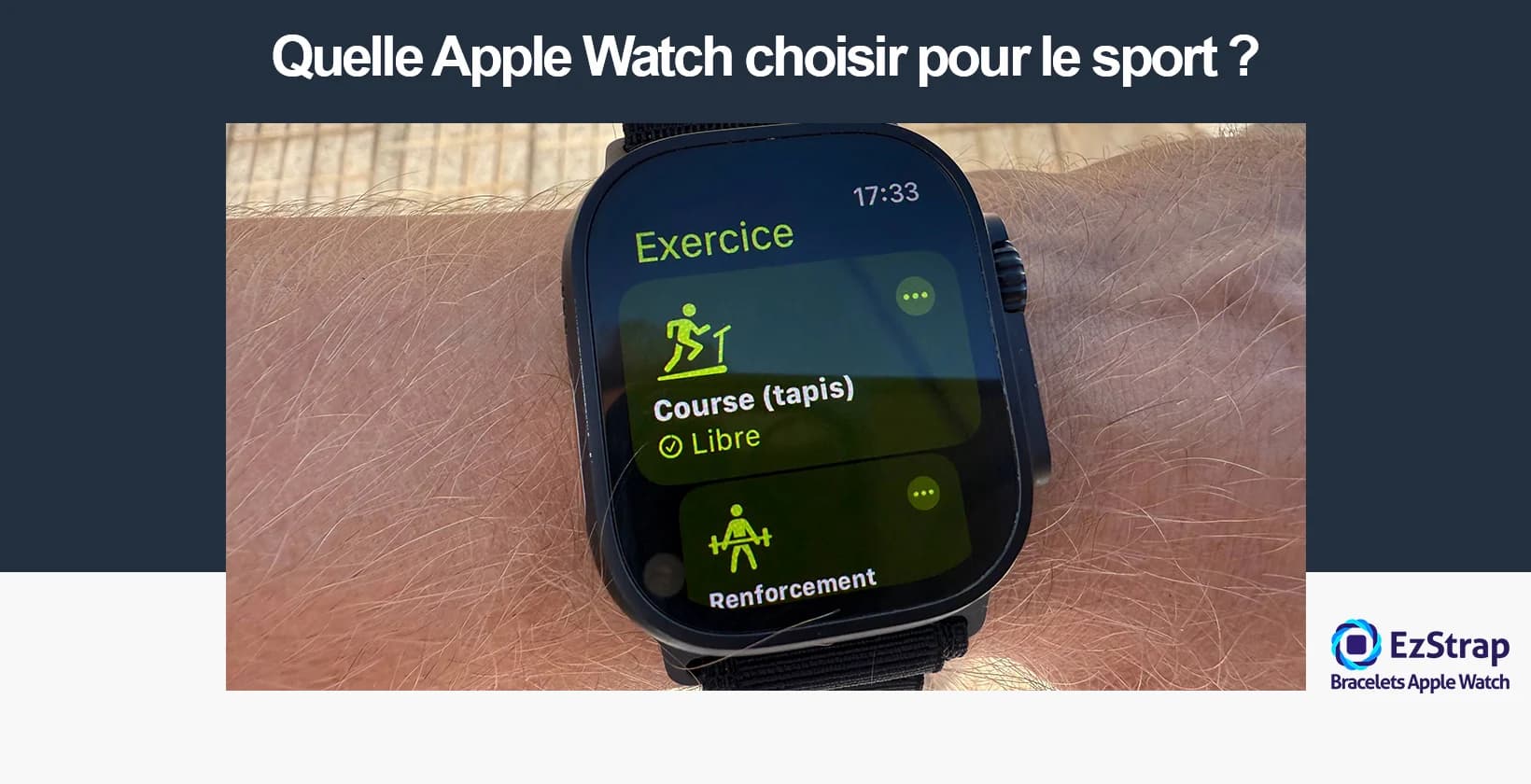
The Apple Watch is a smartwatch developed by Apple Inc. that offers features for sport, communication, fitness tracking and health. In the field of sport, the Apple Watch, with its accurate sensors, its dedicated apps and its suitable mechanical and physical durability, is a versatile and valuable tool for professional or amateur athletes during land-based training sessions (strength training, HIIT, gym) or aquatic ones (swimming, scuba diving, etc.).
This article presents the ideal Apple Watch to use depending on the sport you play.
Why is the Apple Watch suited to sport?
The Apple Watch is particularly well suited to sport thanks to its tracking accuracy, its biometric compatibility and its integration into the iOS ecosystem.
Equipped with a combination of advanced sensors including a three-axis accelerometer, a gyroscope, a barometric altimeter and an optical and electrical heart rate sensor, the Apple Watch provides reliable, real-time measurement of key physiological indicators. This smartwatch delivers accurate metrics on energy expenditure, blood oxygenation (SpO2), as well as heart rate variability (HRV) and VO2 max — a key endurance performance indicator. It notably calculates active calories using the formula: Cal = (MET × weight in kg × 3.5) ÷ 200 × duration in min, with the MET automatically adapting to the type of activity detected.
The reliability and completeness of this data were validated by a comparative study published in 2020. Moreover, the reliability of physiological measurements such as heart rate has been validated by scientific studies with less than 5% error. Recently the Apple Watch has established itself among amateur athletes, as shown by a study in the Journal of Medical Internet Research, led by Dr Burr of the University of Toronto on 50 amateur athletes, which shows that the Apple Watch offers a margin of error of less than 5% when measuring heart rate during exertion.
On the software side, the Apple Watch benefits from the watchOS ecosystem, with native sports apps (Workout, Activity, Training) and third-party apps such as Strava, Nike Run Club or Zones, which offer personalised training programmes, advanced interval training features, or analysis of heart rate training zones.
The Retina OLED display ensures flawless legibility even in sunlight, and recent versions (Series 6 and later) are water-resistant to 50m (ISO 22810:2010 standard) so they can be used without restriction when swimming. Motion detection, haptic feedback on the wrist, synchronisation with Apple HealthKit: the Apple Watch offers smooth, rich and motivating performance tracking whatever the sport: running, swimming, cycling, strength training. Its intelligent activity-detection algorithm improves contextual recognition of the sport.
These methods of analysing and combining data multiply the sources of information, reduce interpretation errors and optimise the accuracy of metrics, as shown by the study Sensor Fusion Techniques in Smartwatches for Sports Monitoring, published by Johns Hopkins University in 2022. The Apple Watch consequently offers more accessible and more personalised sports analysis, giving users immediate feedback on their physical condition and performance.
What is Apple Fitness?
Apple Fitness is the physical activity tracking platform of the Apple ecosystem, designed to measure daily movement, exercise and health progress through the Apple Watch and iPhone.
It is based on the system of three activity rings, which provide visual, motivating tracking of daily goals:
- Move: active calories burned
- Exercise: minutes of exercise
- Stand: hours with at least one minute of movement
The app also offers guided workouts with Apple Fitness+, including:
- Strength training
- Yoga
- HIIT
- Meditation
- Running
Data is centralised in the Health app, allowing you to cross-reference activity data with sleep, heart rate and nutrition. According to Apple, the system is designed to "transform the way we move, work out and meditate, wherever we are".
What is the best Apple Watch for sport?
The best Apple Watch for sport is the one that offers the best compromise between sensor accuracy, physical durability, battery life and functional richness for sporting activities. Here is a structured, reasoned selection of the most suitable models:
- Apple Watch Ultra 3 The Apple Watch Ultra 3 is a premium multisport watch designed for extreme athletes. Rugged, accurate and ready for every outdoor discipline. Strengths: The Ultra 3 has a 49 mm LTPO OLED Retina display with a peak brightness of 3,000 nits for perfect legibility in direct sunlight. Its titanium case and MIL-STD 810H certification give it exceptional durability. Its dual-frequency GPS (L1 + L5) is ideal for trail running, skiing and cycling over difficult terrain. Battery life can reach up to 42 hours in standard use, and up to 72 hours in Low Power Mode. Drawbacks: Its high price (from €899) and its bulky size, which may be uncomfortable for small wrists or casual athletes. Recommended use: endurance sports, long outdoor outings, mountaineering, triathlon, diving (down to 40 m thanks to its compatibility with accessories approved to the EN13319 standard).
- Apple Watch Series 11 The Apple Watch Series 11 is a versatile smartwatch suited to everyday athletes looking for a good compromise between performance and budget. Strengths: The S10 SiP chip provides a smooth interface and advanced capabilities such as double tap, gesture recognition and improved interaction with Siri. Reliable measurements of heart rate, blood oxygenation (SpO2) and VO2 max. Single-band GPS (L1) that is accurate enough for running or road cycling. Its battery life is 24 hours and can reach 38 h in low-power mode. Downsides: It is not suited to intense sport or extreme adventures because of its more standard water resistance (WR50). Recommended use: running, fitness, yoga, gym sessions, urban cycling.
- Apple Watch SE 3 The Apple Watch SE (2025) is an entry-level smartwatch offering the essential features for beginners or occasional athletes. Positives: It includes the main sensors such as GPS, the always-on altimeter, active calorie calculation and heart rate zone tracking, as well as the S8 chip (identical to the Series 8), for a much more attractive price (from €279). Water resistance to 50 m (WR50), suitable for water sports and swimming. Drawbacks: No ECG sensor or oxygen sensor, no always-on display. GPS slightly less accurate than on the high-end models. Recommended sports: active walking, fitness, HIIT, getting back into shape, occasional swimming.
- Apple Watch Series 8 The right balance of performance and health-focused features for athletes interested in physiological monitoring. Strengths: ECG, overnight skin temperature sensor, fall and crash detection, menstrual cycle tracking, S8 chip for a smooth experience, Always-On Retina display. Battery life of up to 18 hours (42 h in Low Power Mode), fast charging. Weaknesses: Single-band GPS, which limits accuracy in the mountains or in dense urban areas. Recommended activities: outdoor or indoor multisport activities, cycling, structured training, health.
- Apple Watch Nike (Series 7 to 9) The Apple Watch Nike is a special edition with features optimised for runners, notably native integration with the Nike Run Club app. Upsides: Exclusive Nike watch faces, direct compatibility with Nike Run Club (training plans, community challenges, tailored statistics), and the same specifications as the corresponding main Series models (depending on the generation). Downsides: Its appeal lies in the software and the branding, not in hardware capabilities. Suited to intensive practice such as running. The Apple Watch Nike SE, for its part, favours the experience of NRC ecosystem enthusiasts, with long and varied training sessions. Full features and the ability to immerse yourself in varied environments. Drawbacks: reduced battery life, limited memory (particularly on older smartwatches).
Conclusion: Each Apple Watch matches a particular sporting reality. The Apple Watch Ultra 3 is for users seeking adventure and extreme performance, while the Series 9 or the SE will suit everyday urban use very well. Users should therefore base their choice on their real needs in terms of training, environment and budget.
What is the best Apple Watch for swimming?
Thanks to its improved water resistance, its accurate sensors for aquatic activities and its improved battery life, the Apple Watch Ultra 3 is the best Apple Watch for swimming to date.
Here are the best Apple Watch models for swimming, ranked according to the balance between their features and their suitability for use in water.
- Apple Watch Ultra 3 The Apple Watch Ultra 3 positions itself as a premium watch dedicated to extreme and aquatic athletes. It offers water resistance to 100 metres and recreational diving certification to 40 metres (EN13319). Its strengths: a large, bright 3,000 nit display that is legible underwater, ultra-accurate dual-frequency GPS for open-water swimming, battery life of up to 42 hours (72 h in low-power mode), and a customisable Action button (start the timer, move from one interval to the next, etc.). Drawbacks: the 61g weight, which may bother some swimmers, and the price (from €899).
- Apple Watch Series 9 The Apple Watch Series 9 is an all-round watch with improved sports tracking. It is suited to swimming and water-resistant to 50 metres under the ISO 22810:2010 standard. Strengths: Accurate motion sensors for counting lengths, stroke-type detection, compatibility with all swimming apps, speed of the S10 processor. Drawbacks: poor battery life (18h), no advanced dive mode.
- Apple Watch SE 3 An entry-level watch, the Apple Watch SE 3 offers swimmers the essentials at a low price. It is also water-resistant to 50 metres. Pros: automatic swim tracking in the pool and in open water, affordable price (from €279). Drawbacks: no blood oxygen sensor, no always-on display, standard battery life of 18h.
- Apple Watch Series 7 An older version but still capable for swimming, with a larger display and still 50m of immersion. Advantages: large curved display, easy to read underwater, swim detection, basic health features. Drawbacks: slower processor than the Series 9, hard to find refurbished. It is also available second-hand with the Ocean Band or Alpine Loop of your choice, allowing you to enrich your sessions. You can therefore opt for the refurbished or second-hand model.
In conclusion, the Apple Watch Ultra 3 is the best Apple watch for experienced swimmers or recreational divers, the Series 9 is suited to regular swimming in the pool or in open water, and the SE 3 is an affordable option for occasional swimmers.
What are the best watch faces and complications for swimming?
Swimming places particular demands on the Apple Watch: prolonged immersion, legibility underwater and accurate tracking of sporting performance. Here is a list of the watch faces and complications best suited to optimising your swimming sessions.
Modular Duo watch face This face displays several activity-focused complications at the same time.
- Advantages: High legibility, quick access to key data such as distance covered, number of lengths and calories burned.
- Drawbacks: Less attractive for everyday use outside sport.
Wayfinder watch face (Apple Watch Ultra) Designed specifically for extreme environments, this face offers a clear and customisable display.
- Advantages: Excellent visibility in the pool and in open water, ability to add up to 8 complications.
- Drawbacks: Reserved for the Apple Watch Ultra.
Activity complication This complication tracks your activity rings, ideal for seeing your progress during a session.
- Advantages: Real-time tracking of calories and goals.
- Drawbacks: Less specific to swimming data.
Stopwatch complication Essential for timing swim sets or rest between lengths.
- Advantages: Simple, reliable, directly legible underwater.
- Drawbacks: Does not give detailed information about the swim.
Heart Rate complication Displays heart rate in real time, useful for controlling the intensity of effort.
- Advantages: Key indicator of endurance and intensity level.
- Drawbacks: The measurement may be less accurate during prolonged immersion.
In summary, the best watch faces and complications for swimming are those that combine legibility, customisation and accurate tracking of aquatic activity. The Modular Duo and the Wayfinder are the most complete, while complications such as Activity, Stopwatch and Heart Rate let you fine-tune tracking to suit your needs.
What are the best native and third-party apps for swimming?
Swimming can be enriched by several apps available on the Apple Watch. Some are native and built in directly by Apple, others come from third-party publishers and bring specialised features. Here are the best apps to support your aquatic training.
- Workout (native) Apple's built-in app lets you start a "Pool Swim" or "Open Water Swim" workout. Advantages: Ease of use, perfect integration with the Apple ecosystem, automatic tracking of lengths and stroke style. Drawbacks: Fewer detailed statistics than some third-party apps. Price: Free, included with watchOS.
- Form Swim App designed to work with the Form Swim Goggles smart goggles, synced with the Apple Watch. Advantages: Real-time display of data (time, distance, pace) directly in the goggles, accurate technique tracking. Drawbacks: Requires additional equipment (Form goggles). Price: Free app, but goggles from around €200.
- MySwimPro Third-party app offering personalised training plans and progression programmes. Advantages: Detailed coaching, plans tailored to your level, sync with Apple Health. Drawbacks: Limited free version, subscription needed to access all the content. Price: Subscription from ~€20/month.
- Swim.com Community app dedicated to swimming, letting you compare your performance with other swimmers. Advantages: Detailed movement analysis, SWOLF tracking (swimming efficiency), social features. Drawbacks: Interface sometimes complex, an account is needed to make full use of the data. Price: Free with premium options.
- TrainingPeaks Performance-oriented multisport solution, used by athletes and coaches. Advantages: Training load tracking, complete planning, compatibility with other sports disciplines. Drawbacks: Less specialised in swimming alone, steeper learning curve. Price: Free version, Premium from ~€20/month.
In conclusion, for simple everyday use, the native Workout app is more than enough. Swimmers looking for more in-depth support will turn to MySwimPro or Form Swim, while competitive profiles will prefer analysis tools such as Swim.com or TrainingPeaks.
What is the best Apple Watch for running?
Here is a selection of the Apple Watch models best suited to running, informed by technical specifications and expert feedback.
- Apple Watch Ultra 3 High-end sports watch designed for athletes and demanding environments. Advantages: Rugged recycled titanium case, very bright display (up to 3,000 nits), multi-band GPS, excellent battery life of up to 72 h in low-power mode. Heart rate accuracy recognised as very good. Drawbacks: Thicker, bulkier design, high price, may be oversized for non-extreme use.
- Apple Watch Series 11 Apple's latest traditional watch (aluminium or titanium case), optimised for everyday users. Advantages: Slimmer profile (9.7 mm, ~10% thinner than the Series 9), bright display, lighter and more comfortable, fast charging, new health features (sleep apnoea detection, Vitals, marine apps). Drawbacks: Standard battery life (~18 h), less rugged than the Ultra, some health features limited depending on region.
- Apple Watch SE 3 Entry-level option offering the essentials of the Apple Watch at a more accessible price. Advantages: Affordable price, lightweight design, GPS, running detection, good features for beginners. Drawbacks: Less advanced sensors (no ECG, no oxygen sensor, less accurate altimeter), battery life similar to the Series 11, fewer running-specific strengths.
In conclusion, for demanding runners who prioritise ruggedness, battery life and accuracy, the Apple Watch Ultra 3 is the benchmark. For balanced everyday and sporting use, the Series 11 combines comfort, advanced features and elegance. For a limited budget or beginner use, the SE (2nd gen.) remains an interesting and effective option.
What are the best watch faces and complications for running?
Running calls for clear watch faces and performance-oriented complications, so that essential data such as pace, distance or heart rate is provided in real time. Here is a selection of the watch faces and complications best suited to optimising your training.
- Modular Duo watch face Designed to display several sports complications at the same time. Advantages: High legibility, display of key metrics such as pace, distance covered and duration. Drawbacks: Plain design, less attractive for everyday use outside sport.
- Wayfinder watch face (Apple Watch Ultra) Dedicated to demanding environments, with enhanced visibility. Advantages: Excellent outdoor legibility, ability to place up to 8 complications, multi-band GPS highlighted. Drawbacks: Reserved for the Apple Watch Ultra, bulky case.
- Pace complication Displays your live pace per kilometre, essential for interval training or long runs. Advantages: Instant pace tracking, useful for keeping a steady cadence. Drawbacks: May be affected by GPS variations in wooded or urban areas.
- Distance complication Shows the total distance covered during the session. Advantages: Essential for measuring progress and calibrating training. Drawbacks: Less useful in short interval training.
- Heart Rate complication Lets you track the intensity of effort through beats per minute. Advantages: Useful for heart rate zone training and for monitoring endurance. Drawbacks: Slightly reduced accuracy at high intensity compared with a heart rate chest strap.
- Stopwatch complication Used to measure split times or rest between intervals. Advantages: Simple, reliable, clear to read mid-run. Drawbacks: Does not provide detailed performance metrics.
In summary, for running, the Modular Duo and Wayfinder watch faces offer the best visibility and customisation, while the Pace, Distance, Heart Rate and Stopwatch complications ensure complete and accurate tracking of your performance.
What are the best native and third-party apps for running?
Running can be tracked and optimised with dedicated apps, whether built natively into the Apple Watch or developed by third-party publishers. Here are the best apps to support your training.
- Workout (native) App built into the Apple Watch that lets you start an "Outdoor Run" or "Indoor Run" workout. Advantages: Ease of use, accurate tracking of pace, distance and heart rate, direct integration with Apple Health. Drawbacks: Fewer advanced statistics than some specialised apps. Price: Free, included with watchOS.
- Nike Run Club Third-party app focused on motivation and community. Advantages: Audio coaching, free training plans, challenges with other runners, intuitive interface. Drawbacks: Less advanced metric customisation, reliance on the Nike ecosystem. Price: Free.
- Strava Community and analytics platform that is very popular with athletes. Advantages: Detailed run tracking, competitive segments, multi-sport compatibility, strong social dimension. Drawbacks: Advanced features (plans, in-depth analysis) reserved for subscribers. Price: Free with Premium options (~€12/month).
- Runkeeper App focused on personalised tracking and progressive goals. Advantages: Training plans tailored to different levels, reminders and voice feedback during the run. Drawbacks: Less modern interface than Strava or Nike Run Club. Price: Free with Premium subscription (~€10/month).
- TrainingPeaks Advanced solution for athletes and coaches. Advantages: Complete performance analysis, training load management, compatibility with other disciplines. Drawbacks: Complexity for beginners, a lot of data to interpret. Price: Free version, Premium from ~€20/month.
In conclusion, for simple, integrated use, Workout is more than enough. Runners looking for motivation and community will prefer Nike Run Club or Strava, while those aiming for performance and advanced analysis will find what they need with Runkeeper or TrainingPeaks.
What is the best Apple Watch for golf?
Golf requires a smartwatch able to provide GPS accuracy, enough battery life to cover a full round and compatibility with specialised apps. Here are the Apple Watch models best suited to playing golf.
- Apple Watch Ultra 3 High-end watch designed for outdoor environments and performance sport. Advantages: Extremely accurate dual-frequency GPS, battery life able to cover several rounds (up to 42 h in normal use, 72 h in low-power mode), very bright 3,000 nit display that is legible even in direct sunlight. Drawbacks: Bulky case (49 mm) that may get in the way of some swings, high price.
- Apple Watch Series 11 Latest-generation all-rounder offering an excellent compromise between design and sports features. Advantages: Slimmer and lighter (9.7 mm), bright and legible display, support for popular golf apps such as Golfshot, Arccos or Hole19. Fast charging, handy between two uses. Drawbacks: Battery life limited to around 18 h, which may mean charging it daily.
- Apple Watch SE 3 More accessible option suited to amateur golfers looking for the essentials. Advantages: Affordable price, light on the wrist, compatibility with third-party golf apps. Enough to follow a full round with GPS. Drawbacks: No Always-On display, no advanced sensors (ECG, blood oxygen), battery life similar to the Series 11 (~18 h).
In conclusion, the Apple Watch Ultra 3 is the best choice for demanding golfers thanks to its ultra-accurate GPS and extended battery life. The Series 11 offers an ideal balance between comfort and performance, while the SE 3 is an economical alternative suited to occasional players.
What are the best watch faces and complications for golf?
Golf calls for good legibility of essential information and quick access to GPS data and specialised apps. Some Apple Watch faces and complications are particularly well suited to this sport. Here is a selection suited to golfers.
- Modular Duo watch face Designed to display several complications at the same time over a large area. Advantages: Ability to place key data such as distance to the hole, score and weather. Optimal legibility on the course. Drawbacks: Minimalist design, less elegant outside sporting use.
- Wayfinder watch face (Apple Watch Ultra) Dedicated to outdoor environments and adventure sports. Advantages: Enhanced legibility even in direct sunlight, customisation with up to 8 complications, display of compass points and GPS position. Drawbacks: Exclusive to the Ultra, bulkier case.
- GPS / Location complication Gives direct access to golf apps that use GPS, such as Golfshot or Hole19. Advantages: Accuracy for measuring distances on the course, quick integration. Drawbacks: Depends on the accuracy of the GPS and of the associated app.
- Weather complication Gives you the temperature, wind and chance of rain at a glance. Advantages: Valuable for anticipating playing conditions and adapting your strategy. Drawbacks: General data, sometimes less detailed than a specialised weather app.
- Activity complication Tracks calories burned and time spent moving during a round. Advantages: Useful for measuring physical effort over long courses. Drawbacks: Less relevant for strict tracking of golfing performance.
In summary, the Modular Duo and Wayfinder watch faces offer the best flexibility and visibility for fitting in the complications useful for golf, while the GPS, Weather and Activity complications ensure complete tracking of conditions and performance on the course.
What are the best native and third-party apps for golf?
Golf can be optimised with native and third-party apps that let you track distances, analyse shots and manage your score. Here are the best apps available on the Apple Watch for golfers.
- Workout (native) Apple's built-in app for recording a walk or training session on the course. Advantages: Simplicity, full integration with Apple Health, tracking of activity and calories. Drawbacks: No golf-specific functions (no distances to the holes, no score). Price: Free, included with watchOS.
- Golfshot The reference app for measuring distances and managing your score. Advantages: Access to more than 45,000 courses, accurate distances to the green, detailed statistics. Drawbacks: Some premium features (3D plans, virtual caddie) require a subscription. Price: Free with Premium options (~€40/year).
- Hole19 Popular app for analysing your game and viewing courses. Advantages: Intuitive interface, accurate GPS, digital scorecard, social sharing of performance. Drawbacks: Advanced features reserved for the Pro version. Price: Free with Premium version (~€7/month or ~€50/year).
- Arccos Caddie App paired with sensors fitted to your clubs for automated tracking. Advantages: Complete analysis of every shot, AI-based strategic recommendations, Apple Watch integration. Drawbacks: Requires the purchase of the sensors (around €200), subscription for advanced data. Price: Sensors + subscription (~€13/month).
- Tag Heuer Golf Premium app dedicated to golfers looking for precision and design. Advantages: Detailed 3D course mapping, in-depth statistics, premium interface. Drawbacks: Paid subscription, more luxury positioning. Price: Around €100/year.
In conclusion, for simple, integrated use, the Workout app remains sufficient for overall tracking. Amateur golfers will find in Golfshot and Hole19 the best compromise between accuracy and accessibility, while advanced or keen players can take advantage of the highly analytical approach of Arccos Caddie or the sophistication of Tag Heuer Golf.
What is the best Apple Watch for weight training?
Weight training requires an Apple Watch capable of accurately tracking heart rate, analysing muscle activity through personalised workouts and withstanding intense sessions without compromising comfort. Here are the most suitable models.
- Apple Watch Ultra 3 Premium watch designed for demanding sports and intense environments. Pros: Durability thanks to the titanium case, very bright display (3,000 nits) readable in the gym as well as outdoors, long battery life (up to 42 hours), heart rate sensor accuracy even during dynamic exercises. Compatible with many weight training and advanced tracking apps. Cons: Imposing size (49 mm) that may get in the way of some wrist movements, high price.
- Apple Watch Series 11 Latest-generation all-rounder offering a good balance between performance and comfort. Pros: Slimmer (9.7 mm) and lighter profile, advanced sensors for heart and health tracking, fast charging, compatibility with specialist weight training apps (Strong, Fitbod). Suitable for everyday sports use. Cons: Standard battery life (~18 hours), less robust than the Ultra for very intensive sessions.
- Apple Watch SE 3 Affordable version covering the essentials of sports tracking. Pros: More affordable price, light weight, reliable sensors for tracking heart rate, compatibility with personalised workouts. Cons: No ECG or blood oxygen sensor, no Always-On display, same battery life as the Series 11 (~18 hours).
In conclusion, for intensive trainers looking for durability and accuracy, the Apple Watch Ultra 3 is ideal. The Series 11 is perfect for those who want a balance between comfort and advanced tracking, while the SE 3 is an economical and effective choice for athletes who want reliable tracking without investing in the high end.
What are the best watch faces and complications for weight training?
Weight training requires precise tracking of heart rate, rest time and calories burned. Some Apple Watch faces and complications are particularly well suited to getting the most from your sessions. Here is a selection that is useful for people who train.
- Modular Duo watch face Ideal for displaying several essential pieces of data in a large format. Pros: Lets you place key complications such as the stopwatch, heart rate and activity at a glance. Optimal legibility during training. Cons: Functional look, less attractive outside sport.
- Infograph watch face Designed to display up to eight complications. Pros: Maximum flexibility, with the option of adding health data, calorie tracking, weather and the rest timer at the same time. Cons: Can look visually cluttered if too many complications are enabled.
- Heart Rate complication Measures heart rate live to control the intensity of effort. Pros: Useful for staying in a target zone (endurance, strength, power). Cons: Less accurate than a chest strap during explosive movements.
- Stopwatch complication Essential for managing rest times between sets. Pros: Simple, effective, quick to access. Cons: Does not provide advanced statistics.
- Activity complication Tracks calories burned and active time. Pros: Lets you keep an overview of overall effort and energy expenditure. Cons: Less relevant for those focused solely on strength progression.
- Timer complication Practical tool for setting precise rest cycles (e.g. 60 or 90 seconds). Pros: Helps structure the session and keep a steady pace. Cons: Display limited to a single duration per session.
In short, the Modular Duo and Infograph watch faces offer the best customisation for weight training, while the Heart Rate, Stopwatch, Activity and Timer complications are the most effective tools for optimising your workouts.
What are the best native and third-party apps for weight training?
Weight training can be tracked effectively with built-in or third-party apps available on the Apple Watch. They let you manage sets, track performance and optimise progression. Here are the best apps to support your workouts.
- Workout (native) The Apple Watch's default app, letting you start an "Other" or "Strength Training" workout. Pros: Ease of use, full integration with Apple Health, heart rate and calories burned tracking. Cons: No specific management of sets and reps. Price: Free, included with watchOS.
- Strong Reference app for tracking weight training workouts. Pros: Lets you record each exercise with weight, sets and reps, offers progress charts. Interface optimised for the gym. Cons: Some advanced features reserved for the Pro version. Price: Free with Premium options (~€5/month or ~€30/year).
- Fitbod App focused on personalised coaching with programmes based on artificial intelligence. Pros: Automatically generates sessions based on your goals, your level and the muscles already worked. Syncs with Apple Health. Cons: Relies on a subscription to unlock full personalisation. Price: Free trial, subscription from ~€13/month.
- Gymaholic Immersive app using augmented reality to visualise the muscles being worked. Pros: Detailed performance tracking, modern design, AR compatibility. Cons: More complex interface, requires a period of adjustment. Price: Premium subscription (~€5/month).
- JEFIT Popular platform for tracking and planning weight training sessions. Pros: Large exercise database, active community, progression plans available. Cons: Interface less intuitive than Strong or Fitbod. Price: Free with Elite version (~€7/month or ~€40/year).
In conclusion, for simple, built-in use, the Workout app is enough. Those looking for structured tracking will favour Strong or JEFIT, while those wanting personalised guidance will opt for Fitbod. For an innovative, visual approach, Gymaholic stands out.
What is the best Apple Watch for skiing?
Skiing requires an Apple Watch that offers good outdoor legibility, accurate GPS, enough battery life for a full day on the slopes and durability suited to the cold. Here are the most suitable models.
- Apple Watch Ultra 3 High-end sports watch designed for extreme environments. Pros: Titanium case resistant to shocks and low temperatures, ultra-accurate dual-frequency GPS ideal for tracking in the mountains, very bright display (3,000 nits) perfectly legible in the sun and on snow, battery life up to 42 hours (72 hours in low power mode). Cons: Imposing size (49 mm) that may get in the way under some jackets or gloves, high price.
- Apple Watch Series 11 All-round watch suited to regular athletes. Pros: Slimmer and lighter (9.7 mm), bright Always-On display, compatibility with ski apps such as Slopes or Ski Tracks, fast charging handy before heading out. Cons: Standard battery life (~18 hours) that may be tight for a long day if several sensors are active, less robust than the Ultra in extreme conditions.
- Apple Watch SE 3 More affordable option covering the essentials. Pros: Affordable price, light and comfortable design, reliable GPS, compatible with the main ski apps. Cons: No Always-On display, no advanced sensors (ECG, blood oxygen), limited battery life (~18 hours).
In conclusion, for demanding skiers who spend long days in the mountains, the Apple Watch Ultra 3 is the most suitable choice thanks to its durability, battery life and precision GPS. The Series 11 will suit athletes looking for a good compromise between performance and comfort, while the SE 3 remains an economical alternative for occasional enthusiasts.
What are the best watch faces and complications for skiing?
Skiing requires watch faces and complications that offer excellent outdoor legibility, quick access to GPS data and weather conditions, and precise tracking of sports performance. Here are the best options for optimising your days on the slopes.
- Wayfinder watch face (Apple Watch Ultra) Designed for extreme environments and outdoor sports. Pros: Optimal legibility in full sun and on snow, displays up to 8 complications, built-in compass for finding your way in the mountains. Cons: Reserved for the Apple Watch Ultra, larger case.
- Modular Duo watch face Lets you display several essential pieces of data at once. Pros: Ideal space for placing ski-related complications, such as speed, altitude and weather. Cons: Sober design, less attractive for everyday use.
- Altimeter complication Shows altitude in real time, essential for tracking your progress on the slopes. Pros: Handy for measuring the vertical drop covered and following the descent. Cons: May lose accuracy during rapid changes in atmospheric pressure.
- GPS / Location complication Direct access to ski apps such as Slopes or Ski Tracks to measure speed and routes. Pros: Accurate data on speed, distance and GPS track. Cons: Increased battery consumption.
- Weather complication Shows temperature, wind and snow conditions. Pros: Essential for anticipating safety and comfort at the resort. Cons: Data sometimes general, less fine-grained than specialist weather apps.
- Activity complication Tracks calories burned and active time over the course of the day. Pros: Lets you quantify the overall effort of a ski outing. Cons: Less specific to technical performance.
In short, the Wayfinder is the most complete watch face for skiing thanks to its durability and legibility, while the Modular Duo lets you customise the display. The Altimeter, GPS, Weather and Activity complications round out the experience for tracking that is both practical and high-performing on the slopes.
What are the best native and third-party apps for skiing?
Skiing can be tracked and optimised with several apps compatible with the Apple Watch, whether native or third-party. They let you measure speed, vertical drop and distance covered, and get detailed statistics on your runs. Here are the best options available.
- Workout (native) App built in by Apple to track physical activity, with the option of starting an "Other" workout. Pros: Ease of use, direct integration with Apple Health, tracking of active time, calories burned and heart rate. Cons: No ski-specific tracking (no speed, vertical drop or mapping). Price: Free, included with watchOS.
- Slopes Very popular app for skiing and snowboarding. Pros: Detailed statistics (speed, vertical drop, distance, descent and ascent time), interactive piste maps, automatic session tracking. Cons: Some features require the Premium subscription. Price: Free with Premium version (~€30/year).
- Ski Tracks Simple, effective solution for recording your performance on the slopes. Pros: Measures top speed, total vertical drop, distance covered and number of runs, works without an internet connection. Cons: More basic interface, fewer social features. Price: One-off paid app (~€1.99).
- Snoww Community-oriented app for comparing your performance with other skiers. Pros: Leaderboards among friends, live sharing of statistics, automatic activity tracking. Cons: Less detailed analysis than Slopes or Ski Tracks. Price: Free with Premium options.
- Strava Multisport platform that includes skiing among its activities. Pros: Compatible with several sports, reliable GPS tracking, social dimension with segments and comparisons. Cons: Ski-specific data less complete than on Slopes or Ski Tracks. Price: Free with Premium subscription (~€12/month).
In conclusion, for general built-in tracking, Workout remains sufficient. For advanced statistics, Slopes is the benchmark, while Ski Tracks offers a simple, economical alternative. Fans of community features will prefer Snoww, and multisport athletes will find what they need with Strava.
What is the best Apple Watch for trail running?
Trail running calls for a robust Apple Watch with accurate GPS, extended battery life and good outdoor legibility. Here are the models best suited to this demanding activity.
- Apple Watch Ultra 3 Watch designed for extreme environments and endurance sports. Pros: Durable titanium case, dual-frequency GPS of great accuracy in the mountains and under forest cover, battery life up to 42 hours (72 hours in low power mode), very bright display (3,000 nits) ideal in full sun. Customisable Action button to start a trail workout quickly. Cons: Imposing size (49 mm), high price.
- Apple Watch Series 11 Latest-generation all-rounder with a refined design. Pros: Slimmer profile (9.7 mm), advanced sensors for heart rate and health, compatibility with trail apps (Strava, Komoot, AllTrails), fast charging handy before heading out. Cons: Standard battery life (~18 hours), less robust than the Ultra for long outings in extreme conditions.
- Apple Watch SE 3 Economical option suited to trail beginners or occasional use. Pros: Affordable price, light and comfortable design, reliable GPS, compatible with the main running and trail apps. Cons: No Always-On display, more limited health sensors, reduced battery life (~18 hours).
In conclusion, for demanding or long-distance trail runners, the Apple Watch Ultra 3 is the benchmark thanks to its durability, battery life and precision GPS. The Series 11 will suit runners looking for a compromise between comfort and performance, while the SE 3 is a simple, economical option for occasional runners.
What are the best watch faces and complications for trail running?
Trail running requires watch faces and complications offering excellent legibility, precise tracking of altitude and pace, and direct access to GPS and weather data. Here are the watch faces and complications best suited to outings in nature.
- Wayfinder watch face (Apple Watch Ultra) Designed for extreme environments and outdoor sports. Pros: Displays up to 8 complications, built-in compass, enhanced legibility even in full sun. Cons: Reserved for the Apple Watch Ultra, imposing case.
- Modular Duo watch face Allows a clear, customisable display of essential data. Pros: Large area for combining heart rate, distance and weather. Cons: More sober design, less attractive for use outside sport.
- Altimeter complication Shows altitude in real time, essential for tracking elevation gain. Pros: Helps you manage effort better on hilly routes. Cons: Sensitive to rapid changes in atmospheric pressure.
- GPS / Location complication Gives direct access to navigation apps (Komoot, AllTrails). Pros: Accurate route recording and position tracking. Cons: Increased battery consumption.
- Pace complication Shows instantaneous or average pace. Pros: Helps maintain a cadence suited to the terrain. Cons: Less reliable in wooded or enclosed areas because of the GPS signal.
- Weather complication Provides temperature, wind and precipitation conditions. Pros: Helps anticipate weather changes in the mountains. Cons: Data sometimes less accurate than a specialist app.
In short, the Wayfinder is the most complete watch face for trail running thanks to its durability and customisation, while the Modular Duo offers a versatile display. The Altimeter, GPS, Pace and Weather complications guarantee optimal tracking to make trail running safer and improve performance.
What are the best native and third-party apps for trail running?
Trail running can be optimised with apps that make full use of the Apple Watch's sensors, such as GPS, the altimeter and heart rate tracking. Some are native and integrated into the Apple ecosystem, others come from specialist publishers. Here are the best apps to support your trail outings.
- Workout (native) App built into the Apple Watch that lets you start an "Outdoor Run" workout. Pros: Ease of use, direct integration with Apple Health, tracking of pace, distance, heart rate and calories burned. Cons: Less trail-specific data (altitude, segments, navigation). Price: Free, included with watchOS.
- Strava Social and analytical platform widely used by runners. Pros: Detailed tracking of outings, competitive segments, multisport compatibility, strong community dimension. Cons: Some advanced features (plans, in-depth analysis) require a subscription. Price: Free with Premium (~€12/month).
- Komoot Outdoor navigation and route planning app. Pros: Offers detailed maps with voice and visual guidance, suited to mountain trail routes. Cons: Some offline maps are paid. Price: Free with Premium options (~€5/month or ~€30/year).
- AllTrails Worldwide database of hiking and trail routes. Pros: Access to thousands of shared routes, detailed maps, user reviews. Cons: Offline features and advanced maps reserved for the Pro version. Price: Free with Pro version (~€30/year).
- WorkOutDoors Third-party app much appreciated by trail runners for its live map display. Pros: Interactive vector maps on the Apple Watch, advanced customisation of data screens, precise navigation. Cons: Interface less intuitive for beginners. Price: One-off paid app (~€6).
In conclusion, for basic, built-in use, Workout is sufficient. Runners focused on performance and community will favour Strava, while those who want navigation
What is the best Apple Watch for surfing?
Surfing requires an Apple Watch that is resistant to salt water, with accurate GPS and good battery life, and compatible with specialist apps for tracking waves and sea conditions. Here are the models best suited to this activity.
- Apple Watch Ultra 3 High-end watch designed for water sports and extreme environments. Pros: Water resistance to 100 m and EN13319 certification (the standard for dive computers), titanium case that stands up to knocks and salt water, very bright display (3,000 nits) legible in full sun, dual-frequency GPS ideal for analysing sessions at sea, extended battery life (42 hours in normal use, up to 72 hours in low power mode). Cons: High price, imposing size (49 mm) that may bother some surfers.
- Apple Watch Series 11 All-round watch suited to athletes looking for a good compromise. Pros: Slimmer and lighter (9.7 mm), water resistance to 50 m, compatibility with surf apps such as Dawn Patrol or Surfline, fast charging handy between sessions. Cons: Limited battery life (~18 hours), less robust than the Ultra 3 in intense marine conditions.
- Apple Watch SE 3 Economical option offering the essential features. Pros: Affordable price, light weight, water resistance to 50 m, reliable GPS, compatibility with the main surf apps. Cons: No Always-On display, reduced battery life (~18 hours), more limited health sensors.
In conclusion, the Apple Watch Ultra 3 is the model best suited to regular and passionate surfers thanks to its durability, battery life and advanced features for tracking at sea. The Series 11 is a versatile, comfortable alternative, while the SE 3 remains an economical option suitable for occasional surfers.
What are the best watch faces and complications for surfing?
Surfing requires watch faces and complications offering excellent legibility in full sun, reliable GPS tracking and useful information such as tides or marine weather. Here is a selection of the options best suited to surfers.
- Wayfinder watch face (Apple Watch Ultra) Designed for outdoor and marine sports. Pros: Displays up to 8 complications, excellent visibility thanks to the bright display (3,000 nits), compass integration and location tracking. Ideal for use at sea. Cons: Reserved for the Apple Watch Ultra, imposing case.
- Modular Duo watch face Optimised for displaying several pieces of data in a large format. Pros: Lets you combine weather, tide and GPS complications, to have all the essential information at a glance. Cons: Functional design, less attractive for everyday use.
- Tides complication Provides tide times and levels, essential for planning a surf session. Pros: Critical data for choosing the right time slot and anticipating conditions. Cons: Depends on the accuracy of the associated weather apps or services.
- GPS / Location complication Allows precise tracking of position and routes at sea. Pros: Compatible with surf apps such as Dawn Patrol or Surfline Sessions. Cons: Uses more battery during long sessions.
- Weather complication Shows temperature, wind and chance of rain. Pros: Essential for anticipating safety and comfort at sea. Cons: Less detailed than apps specialised in surf conditions.
- Activity complication Tracks calories burned and duration of effort. Pros: Lets you measure the physical intensity of a session. Cons: Less specific to surf-related performance.
In short, the Wayfinder watch face is the most complete for surfing thanks to its durability and visibility, while the Modular Duo lets you customise the display of key data. The Tides, GPS, Weather and Activity complications offer optimal tracking to improve your surfing and your safety at sea.
What are the best native and third-party apps for surfing?
Surfing can be tracked and enhanced with native and third-party apps on the Apple Watch. They let you measure sessions, analyse performance and check wave conditions in real time. Here are the best apps for surfers.
- Workout (native) App built into the Apple Watch to start an "Other" workout and record the duration and intensity of a session. Pros: Simplicity, direct integration with Apple Health, calorie and heart rate tracking. Cons: No surf-specific data (number of waves, speed, tides). Price: Free, included with watchOS.
- Dawn Patrol App designed specifically for surfing. Pros: Tracking of waves surfed, speed, distance covered, time spent in the water. Syncs with Apple Health and displays directly on the watch. Cons: Some advanced features require a subscription. Price: Free with Premium version (~€9/month or ~€59/year).
- Surfline Sessions App connected to Surfline cameras at thousands of spots around the world. Pros: Automatic videos of your sessions captured from local cameras, detailed statistics (number of waves, duration, performance). Cons: Usefulness depends on there being a Surfline camera near the spot. Price: Premium subscription (~€13/month or ~€95/year).
- Magicseaweed (MSW) Marine forecast app used by many surfers. Pros: Detailed forecasts of waves, swell, wind and tides, clear interface. Cons: Less focused on live performance tracking. Price: Free with Premium options (~€10/month).
- Surf Track GPS tracking app for surf sessions. Pros: Analysis of speeds, routes and waves surfed, data export for long-term tracking. Cons: More technical interface, less mainstream than Dawn Patrol. Price: Paid app (~€6).
In conclusion, for general tracking, Workout remains sufficient, but keen surfers will gain a real benefit from Dawn Patrol or Surfline Sessions. For preparation, Magicseaweed remains a reference for forecasts, while Surf Track is aimed at users looking for detailed GPS analysis of their performance.
What is the best Apple Watch for scuba diving?
The only Apple Watch certified for scuba diving is the Apple Watch Ultra, specially designed to withstand underwater pressure and offer features dedicated to advanced water sports.
- Apple Watch Ultra / Ultra 3 Watch designed for extreme environments and marine activities. Pros: Only Apple Watch certified for diving (WR100 and EN13319 standard), depth sensor down to 40 m with the native Depth app, compatibility with Oceanic+, which turns the watch into a true recreational dive computer. Ultra-bright display (up to 3,000 nits) perfectly legible underwater, titanium case that stands up to salt water and knocks. Cons: Subscription needed to access the advanced features of Oceanic+, reduced battery life with multiple dives, imposing size (49 mm) that may bother some divers.
In conclusion, the Apple Watch Ultra / Ultra 3 is the only sensible choice for scuba diving. Thanks to its certification, its depth sensor and its dedicated apps, it meets the needs of recreational divers, while remaining a complement to a traditional dive computer for added safety.
What are the best watch faces and complications for scuba diving?
Scuba diving imposes specific needs: optimal legibility underwater, tracking of depth, duration and temperature, and quick access to critical data. As the Apple Watch Ultra is the only one certified for diving, certain watch faces and complications stand out for best supporting this activity.
- Wayfinder watch face (Apple Watch Ultra) Designed for extreme and marine environments. Pros: Displays up to 8 complications, enhanced visibility even in water thanks to a very bright display, native integration with the compass and GPS. Cons: Reserved for the Apple Watch Ultra, massive on the wrist.
- Depth complication Shows in real time the depth reached and how long you have been submerged. Pros: Essential data for monitoring dive safety, accurate to 40 m. Cons: Limited to recreational diving, does not replace a professional computer.
- Water Temperature complication Measures the ambient temperature directly during the dive. Pros: Useful for adapting equipment and anticipating effort management. Cons: May vary with movement and depth.
- Stopwatch / Submerged Time complication Lets you track the time spent underwater. Pros: Simple, reliable, essential for keeping to dive durations depending on the stops. Cons: Does not provide advanced alerts like a dedicated computer.
- Oceanic+ complication Offered by the partner app that turns the Ultra into a true recreational dive computer. Pros: Shows depth, dive time, decompression, ascent rate and safety alerts. Cons: Full features accessible only via a paid subscription.
In short, the Wayfinder watch face combined with the Depth, Temperature, Stopwatch and Oceanic+ complications turns the Apple Watch Ultra into a high-performing tool for recreational diving. These elements guarantee a clear and safe reading of the essential information on every dive.
What are the best native and third-party apps for scuba diving?
Scuba diving with the Apple Watch Ultra relies on specialist apps that make use of its depth sensor and certifications. Some are native, others third-party, and they turn the watch into a true diving companion. Here are the best apps available.
- Depth (native) App built in by Apple for freediving or recreational diving. Pros: Shows live depth down to 40 m, dive duration and water temperature. Simple, reliable and directly integrated into the Apple Watch Ultra. Cons: Limited to basic data, does not handle decompression stops. Price: Free, included with watchOS.
- Oceanic+ Developed in partnership with Huish Outdoors, this app turns the Apple Watch Ultra into a dive computer. Pros: Full tracking (depth, dive time, ascent rate, decompression calculations, safety alerts). Clear interface designed for recreational divers. Cons: Subscription needed to access advanced features, battery life affected by prolonged use. Price: Free with Premium subscription (~€10/month or ~€80/year).
- Dive Log Third-party app for logging your dives and analysing your sessions. Pros: Digital dive log, syncing with other dive computers, adding notes and photos. Cons: Less useful live underwater, more geared to post-dive use. Price: Paid app (~€15).
- Subsurface-mobile Open-source project used by some divers for tracking and analysing dives. Pros: Compatibility with many dive log formats, active community. Cons: Interface less intuitive than commercial apps. Price: Free.
In conclusion, for immediate, simple use, the Depth app is ideal. For complete tracking that turns the Apple Watch Ultra into a true recreational dive computer, Oceanic+ is the benchmark. Finally, for keeping a digital logbook or analysing dives in detail, Dive Log and Subsurface-mobile effectively round out the ecosystem.
What is the best Apple Watch for badminton?
Badminton demands a lightweight Apple Watch that is comfortable on the wrist and able to track heart rate, movement intensity and calories burned while offering enough battery life for training sessions. Here are the models best suited to this sport.
- Apple Watch Series 11 Latest-generation all-rounder, optimised for sport. Pros: Slim (9.7 mm) and lightweight profile, ideal for a racket sport requiring quick movements. Advanced health sensors (heart rate, ECG, blood oxygen monitoring), compatibility with specialist apps such as SwingVision or SmashVision. Fast charging between sessions. Cons: Standard battery life (~18 hours), less rugged than the Ultra.
- Apple Watch Ultra 3 Premium sports watch designed for performance and endurance. Pros: Extremely tough titanium case, very bright display (3,000 nits) for perfect legibility, extended battery life (42 hours), GPS accuracy useful for overall sports performance tracking. Suits players looking for a durable, all-round watch. Cons: Imposing size (49 mm) that can get in the way of quick wrist movements, high price for badminton use alone.
- Apple Watch SE 3 Affordable option covering the essentials for sport. Pros: Light and comfortable, more accessible price, reliable heart rate and calorie tracking, compatibility with Apple Fitness and badminton apps. Cons: No Always-On display, limited health sensors (no ECG or blood oxygen), battery life equivalent to the Series 11 (~18 hours).
In conclusion, the Series 11 is the best choice for most badminton players, thanks to its comfort and advanced sensors. The Ultra 3 will suit athletes looking for robustness and extended battery life, while the SE 3 remains an economical, effective alternative for reliable tracking without premium features.
What are the best watch faces and complications for badminton?
Badminton calls for watch faces and complications geared towards performance, intensity tracking and management of playing and rest times. The aim is to get the essential data at a glance without interrupting the fast pace of a match. Here are the best options for this sport.
- Modular Duo watch face Designed to display several metrics at once in large format. Pros: Optimal legibility during play, with the option of showing heart rate, session duration and calories burned. Cons: Functional design, less attractive outside sport.
- Infograph watch face Lets you place up to eight complications on a single screen. Pros: Ideal for combining heart rate, activity, rest timer and weather. Highly versatile for regular players. Cons: Can look cluttered if too many complications are displayed.
- Heart Rate complication Tracks beats per minute in real time to gauge the intensity of effort. Pros: Useful for controlling intensity and physical progress. Cons: Can be less accurate than dedicated sensors during very fast movements.
- Activity complication Shows calories burned and exercise minutes. Pros: Gives an overview of the energy expenditure of a session. Cons: Less specific to badminton performance.
- Stopwatch complication Used to time play and rest periods between rallies or games. Pros: Simple and effective for structuring a training session. Cons: No advanced statistics beyond the time measured.
- Timer complication Lets you set fixed intervals for interval training or breaks. Pros: Handy for specific training sessions (HIIT, badminton drills). Cons: Limited to one programmed duration at a time.
In short, the Modular Duo and Infograph watch faces are the best suited to badminton thanks to their display flexibility, while the Heart Rate, Activity, Stopwatch and Timer complications offer complete tracking of performance and effort management.
What are the best native and third-party apps for badminton?
Badminton can be tracked using native and third-party apps on the Apple Watch, making it possible to measure physical activity, analyse performance and improve progress. Here are the best apps available to support players.
- Workout (native) App built into the Apple Watch that lets you record a session by choosing the "Other" mode. Pros: Simple to use, direct integration with Apple Health, tracking of calories burned, duration and heart rate. Cons: No badminton-specific statistics (stroke frequency, movement). Price: Free, included with watchOS.
- Badminton Scoreboard App dedicated to tracking matches and scores in real time. Pros: Lets you record points, games and match history. Simple interface, useful for friendly matches. Cons: Provides no physiological measurements or activity tracking. Price: Paid app (~€3).
- SmashVision Third-party app focused on technical analysis. Pros: Analysis of movements, strokes and performance using the Apple Watch's accelerometer and sensors. Gives useful information on shot power and consistency. Cons: Data sometimes approximate depending on the intensity of play. Price: Premium subscription (~€10/month).
- SwingVision Originally designed for tennis, but usable for badminton. Pros: Video analysis of movements, tracking of shots and rallies, useful for training and technique correction. Cons: Advanced features reserved for the subscription, sometimes needs the iPhone for video capture. Price: Premium subscription (~€15/month).
- Strava Multisport app for tracking physical effort, including via the "Workout" category. Pros: Tracking of intensity, calories and heart rate, social integration for sharing your performances. Cons: No badminton-specific functions. Price: Free with Premium (~€12/month).
In conclusion, for simple use, the Workout app is enough to track overall effort. For players seeking competitive tracking, Badminton Scoreboard is ideal. Those wanting to progress technically will opt for SmashVision or SwingVision, while Strava makes it possible to fold badminton into overall multisport tracking.
What is the best Apple Watch for kitesurfing?
Kitesurfing requires a rugged, fully waterproof Apple Watch with accurate GPS and good battery life to record sessions at sea while offering optimal legibility in full sun. Here are the models best suited to this discipline.
- Apple Watch Ultra 3 Premium watch designed specifically for extreme and water sports. Pros: Water resistance to 100 m (WR100), EN13319 certification (the reference for diving instruments), titanium case resistant to salt and impacts, ultra-accurate dual-frequency GPS for tracking trajectories, very bright display (3,000 nits) legible in full sun, extended battery life (42 hours in normal use, up to 72 hours in Low Power Mode). Cons: Imposing size (49 mm), high price compared with the other models.
- Apple Watch Series 11 Versatile, more compact watch, suited to regular athletes. Pros: Slimmer, lighter design (9.7 mm), water resistance to 50 m, reliable GPS, compatibility with kitesurfing apps (Waterspeed, Dawn Patrol), fast charging between sessions. Cons: Standard battery life (~18 hours), less rugged than the Ultra in extreme conditions (impacts, long sessions).
- Apple Watch SE 3 More affordable option covering the essentials. Pros: Accessible price, lightness, water resistance to 50 m, accurate GPS for recording sessions, integration with Apple Fitness. Cons: No Always-On display, limited health sensors, battery life equivalent to the Series 11 (~18 hours).
In conclusion, the Apple Watch Ultra 3 is the best choice for demanding kitesurfers thanks to its robustness, battery life and GPS accuracy, perfectly suited to sessions at sea. The Series 11 offers an interesting compromise between performance and comfort, while the SE 3 is an economical alternative for simple, effective tracking.
What are the best watch faces and complications for kitesurfing?
Kitesurfing calls for watch faces and complications able to provide the essential information at a glance, such as speed, wind, tide and session duration. Legibility in full sun and quick access to GPS data are key criteria. Here are the best options for getting the most out of your sessions at sea.
- Wayfinder watch face (Apple Watch Ultra) Designed for extreme and marine environments. Pros: Can display up to 8 complications, very bright display (3,000 nits) perfectly legible even in full sun, compass and GPS integration for tracking at sea. Cons: Exclusive to the Apple Watch Ultra, bulky format.
- Modular Duo watch face Ideal for organising several sports data points in large format. Pros: Simultaneous display of speed, duration and calories burned. Compatible with third-party app complications such as Waterspeed. Cons: Functional design, less attractive for everyday use.
- Speed (GPS) complication Tracks instantaneous and average speed during the session. Pros: Essential for analysing performance and controlling navigation. Cons: Can lose accuracy if the GPS signal is unstable.
- Weather complication Shows temperature, wind and chance of rain. Pros: Essential data for anticipating conditions on the water. Cons: Less detailed than a specialist marine weather app.
- Tides complication Provides tide times and levels. Pros: Crucial for planning kitesurfing sessions safely. Cons: Depends on the quality of the data supplied by the associated app.
- Stopwatch / Session Duration complication Lets you track time spent at sea. Pros: Simple, reliable, useful for analysing training load. Cons: Data limited to duration, with no performance details.
In short, the Wayfinder watch face is the most complete for demanding kitesurfers, while the Modular Duo offers a clear, customisable display. The Speed, Weather, Tides and Stopwatch complications make up an optimal set for tracking your performance effectively and navigating safely.
What are the best native and third-party apps for kitesurfing?
Kitesurfing can be tracked effectively using native and third-party apps compatible with the Apple Watch. They measure speed, distance and session duration, while also giving access to wind and tide conditions. Here are the best apps to support kitesurfers.
- Workout (native) The Apple Watch's default app, used by selecting the "Other" mode. Pros: Simple to use, full integration with Apple Health, tracking of duration, calories and heart rate. Cons: Provides no kitesurfing-specific data (wind, top speed, tides). Price: Free, included with watchOS.
- Hoolan App designed for board-based water sports, including kitesurfing. Pros: Real-time tracking of speed, heading, distance and session duration. Clear interface suited to conditions at sea. Cons: Advanced features limited in the free version, relies heavily on GPS for accuracy. Price: Free with Premium options (~€5/month or ~€40/year).
- Waterspeed App dedicated to water sports such as kitesurfing, windsurfing or paddleboarding. Pros: Real-time tracking of speed, distance, GPS track and performance. Also gives information on wind and conditions. Cons: Some advanced functions are reserved for the Pro version. Price: Free with Premium subscription (~€6/month or ~€30/year).
- Dawn Patrol Originally designed for surfing but also used by some kitesurfers. Pros: GPS tracking of sessions, speed, distance and time in the water. Compatible with Apple Health. Cons: Less specific to kitesurfing than Waterspeed. Price: Free with Premium version (~€9/month or ~€59/year).
- iKitesurf App specialising in wind forecasts for kitesurfing. Pros: Detailed real-time data on wind speed, gusts and direction. Works at thousands of spots around the world. Cons: Full features available only via subscription. Price: Free with Premium subscription (~€15/month).
- Strava Multisport platform compatible with kitesurfing via GPS tracking. Pros: Analysis of distance, speed and calorie expenditure, social dimension for sharing sessions with other athletes. Cons: No tracking specific to wind or sea conditions. Price: Free with Premium (~€12/month).
In conclusion, for basic use, Workout remains sufficient, but regular kitesurfers will get more out of Hoolan or Waterspeed, the most complete for kitesurfing. For planning sessions, iKitesurf is a must-have, while Dawn Patrol and Strava round out the experience depending on whether you prioritise performance analysis or community sharing.
What is the best Apple Watch for climbing?
Climbing calls for a rugged, lightweight Apple Watch with accurate activity tracking, able to withstand impacts and outdoor conditions. Here are the models best suited to this activity.
- Apple Watch Ultra 3 Premium watch designed for extreme sports and demanding environments. Pros: Impact-resistant titanium case, sapphire crystal protecting the screen from scratches, ultra-accurate dual-frequency GPS, built-in altimeter for measuring elevation gain, extended battery life (42 hours in normal use, 72 hours in Low Power Mode). Very bright display (3,000 nits) legible even on the crag. Cons: Imposing size (49 mm) that can get in the way of some movements, high price.
- Apple Watch Series 11 Versatile, more compact watch, suited to regular athletes. Pros: Slimmer profile (9.7 mm), lightness, advanced sensors for heart tracking and health, compatibility with climbing apps such as MyClimb or Vertical-Life. Fast charging before a session. Cons: Standard battery life (~18 hours), less impact-resistant than the Ultra.
- Apple Watch SE 3 More economical option for occasional climbers. Pros: Affordable price, light and comfortable design, reliable GPS, calorie and heart rate tracking. Cons: No advanced sensors (ECG, blood oxygen), no Always-On display, battery life identical to the Series 11 (~18 hours).
In conclusion, the Apple Watch Ultra 3 is the best option for climbers seeking robustness, battery life and accuracy, perfectly suited to outdoor climbing. The Series 11 will suit regular climbers who prioritise comfort and versatility, while the SE 3 is an economical alternative for basic, effective tracking.
What are the best watch faces and complications for climbing?
Climbing demands clear, robust watch faces and complications able to provide essential data such as altitude, effort time, heart rate and weather. Legibility and quick access to information are paramount in this sport. Here are the best options for climbers.
- Wayfinder watch face (Apple Watch Ultra) Designed for outdoor environments and extreme sports. Pros: Displays up to 8 complications, compass and altimeter integration, excellent legibility even in full sun thanks to the bright display. Cons: Reserved for the Apple Watch Ultra, large format on the wrist.
- Modular Duo watch face Lets you customise the display with essential sports data. Pros: Optimal legibility with large blocks of information, ability to track heart rate, altitude and session duration. Cons: Functional design, less attractive outside sport.
- Altimeter complication Shows altitude in real time, essential for tracking elevation gain in outdoor climbing. Pros: Lets you measure vertical progress and adapt your effort. Cons: Can be affected by rapid atmospheric changes.
- Heart Rate complication Continuous tracking of beats per minute to control intensity. Pros: Useful for managing endurance on long ascents. Cons: Less accurate during rapid movements or strong muscle contraction.
- Stopwatch / Session Duration complication Measures time spent climbing or belaying. Pros: Simple and reliable for gauging intensity and structuring the session. Cons: Provides no further detail on technical performance.
- Weather complication Provides temperature, wind and risk of precipitation. Pros: Crucial for anticipating safety on outings to the crag. Cons: General data, less detailed than specialist weather apps.
In short, the Wayfinder is the most complete watch face for outdoor climbing thanks to its robustness and customisation, while the Modular Duo offers a simple, effective display. The Altimeter, Heart Rate, Stopwatch and Weather complications make an ideal set for improving safety and performance tracking in climbing.
What are the best native and third-party apps for climbing?
Climbing can be tracked and optimised using native and third-party apps on the Apple Watch. They make it possible to track effort, analyse progress and sometimes even access route databases. Here are the best apps for climbers.
- Workout (native) App built into the Apple Watch that lets you record a session by choosing the "Other" mode. Pros: Simple to use, tracking of duration, calories burned and heart rate, direct integration with Apple Health. Cons: No climbing-specific data such as routes or moves. Price: Free, included with watchOS.
- MyClimb App dedicated to tracking indoor and outdoor climbing. Pros: Worldwide database of routes and boulder problems, tracking of ascents with difficulty grade, detailed statistics. Cons: Some social and progression features require a subscription. Price: Free with Premium version (~€10/month).
- Vertical-Life Climbing Well-known platform for managing and analysing climbing performance. Pros: Catalogue of thousands of digital topos, personalised progress tracking, Apple Watch integration for recording sessions. Cons: Some regions and topos are paid. Price: Free with in-app purchases (~€30/year for full access).
- Redpoint App specialising in training and climbing performance tracking. Pros: Logging of ascents, session analysis, goal planning. Cons: Less of a community dimension than MyClimb or Vertical-Life. Price: Paid app (~€10).
- Strava Multisport app that can be used for climbing via the "Workout" category. Pros: Overall tracking of effort, calories and heart rate, social integration for sharing sessions with a sporting community. Cons: No climbing-specific metrics (grades, holds, routes). Price: Free with Premium (~€12/month).
In conclusion, for basic tracking, the Workout app is enough. Passionate climbers will favour MyClimb or Vertical-Life Climbing for their databases and detailed analysis, while Redpoint is ideal for structured training tracking. Finally, Strava remains an option for folding climbing into multisport tracking and sharing your performances.
What is the best Apple Watch for mountain biking?
Mountain biking calls for a rugged Apple Watch with accurate GPS, good battery life and excellent outdoor legibility, while staying comfortable on the wrist during long rides. Here are the models best suited to this activity.
- Apple Watch Ultra 3 Premium watch designed for extreme sports and demanding environments. Pros: Very tough titanium case, bright display (3,000 nits) perfectly legible in full sun, ultra-accurate dual-frequency GPS for routes through forest or mountains, extended battery life (42 hours in normal use, 72 hours in Low Power Mode). Customisable Action button to quickly start a mountain biking activity. Cons: Imposing size (49 mm) that can be a nuisance under some protective gear, high price.
- Apple Watch Series 11 Versatile watch offering a good compromise between performance and comfort. Pros: Slimmer, lighter design (9.7 mm), advanced sensors for heart tracking and health, reliable GPS, compatibility with mountain biking apps (Komoot, Strava, Trailforks). Fast charging before a ride. Cons: Standard battery life (~18 hours), less rugged than the Ultra in extreme conditions.
- Apple Watch SE 3 Economical option suited to occasional mountain bikers. Pros: More affordable price, light and comfortable design, reliable GPS for tracking your routes, integration with Apple Fitness. Cons: No Always-On display, more limited health sensors, battery life identical to the Series 11 (~18 hours).
In conclusion, the Apple Watch Ultra 3 is the best option for demanding mountain bikers who want robustness, battery life and GPS accuracy. The Series 11
What are the best watch faces and complications for mountain biking?
Mountain biking calls for watch faces and complications offering excellent outdoor legibility, accurate GPS tracking and quick access to key information such as speed, altitude, distance and weather. Here are the best options for making the most of your rides in the mountains or forest.
- Wayfinder watch face (Apple Watch Ultra) Designed for outdoor environments and extreme sports. Pros: Displays up to 8 complications, compass and GPS integration, ultra-bright display legible in full sun. Cons: Exclusive to the Apple Watch Ultra, massive case on the wrist.
- Modular Duo watch face Lets you clearly display several essential data points in large format. Pros: Personalised layout with speed, distance and heart rate visible at a glance. Cons: Understated design, less attractive outside sporting activity.
- GPS / Location complication Live route tracking with integration into apps such as Komoot or Trailforks. Pros: Indispensable for tracking routes through forest or mountains. Cons: High battery consumption.
- Altimeter complication Shows elevation gain and altitude in real time. Pros: Essential for analysing performance on climbs and descents. Cons: Sensitive to changes in atmospheric pressure.
- Speed complication Shows instantaneous and average speed. Pros: Useful for performance tracking and control on descents. Cons: Can fluctuate depending on GPS accuracy.
- Heart Rate complication Measures the intensity of effort continuously. Pros: Lets you manage endurance on long rides. Cons: Slight drop in accuracy during heavy jolting.
- Weather complication Shows temperature, chance of rain and wind speed. Pros: Crucial for anticipating conditions in the mountains. Cons: Less detailed than specialist weather apps.
In short, the Wayfinder is the most complete watch face for mountain biking thanks to its robustness and legibility, while the Modular Duo offers a simple, effective display. The GPS, Altimeter, Speed, Heart Rate and Weather
What are the best native and third-party apps for mountain biking?
Mountain biking can be tracked and improved using native and third-party apps on the Apple Watch. They make it possible to measure performance, analyse routes and plan suitable itineraries. Here are the best apps to support your rides.
- Workout (native) App built into the Apple Watch that lets you start a "Cycling" or "Other" workout. Pros: Simple to use, direct integration with Apple Health, tracking of calories, heart rate and duration. Cons: No mountain-biking-specific data such as total elevation gain or segment analysis. Price: Free, included with watchOS.
- Strava Multisport platform very popular with cyclists and mountain bikers. Pros: Detailed GPS tracking, performance analysis, competitive segments, active community. Cons: Advanced functions (plans, in-depth analysis) reserved for the subscription. Price: Free with Premium (~€12/month).
- Komoot Planning and navigation app for mountain biking and the outdoors. Pros: Creation of detailed routes by difficulty and terrain type, voice and visual guidance, offline maps. Cons: Some maps and functions require the purchase of regional packs or a subscription. Price: Free with Premium options (~€5/month or ~€30/year).
- Trailforks App specialising in mountain biking, with a huge trail database. Pros: Access to more than 400,000 listed routes, detailed maps with difficulty levels, GPS tracking. Cons: Some offline maps are reserved for subscribers. Price: Free with Pro version (~€2/month or ~€18/year).
- WorkOutDoors Third-party app focused on maps and live GPS tracking. Pros: Interactive vector maps directly on the Apple Watch, customisable screens with speed, distance, elevation gain, power. Cons: More technical interface, needs some time to get used to. Price: One-off paid app (~€6).
In conclusion, for basic tracking, Workout is enough. Mountain bikers focused on performance and community will opt for Strava, while Komoot and Trailforks are ideal for navigation and discovering trails. Finally, users looking for an advanced, customisable GPS solution will find what they need with WorkOutDoors.
What is the best Apple Watch for padel?
Padel calls for an Apple Watch that is light and comfortable, able to keep up with fast movements and the intensity of rallies while also offering good health and sports performance tracking. Here are the models best suited to this racket sport.
- Apple Watch Series 11 The latest generation, versatile and slim, ideal for padel. Pros: Very light, compact profile (9.7 mm), advanced sensors (heart rate, ECG, blood oxygen), bright Always-On display, compatibility with padel and tennis apps such as SwingVision or Padel Stat Tracker. Fast charging so you can fit in several sessions back to back. Cons: Standard battery life (~18 hours), less robust than the Ultra.
- Apple Watch Ultra 3 High-end model designed for performance and intense sporting environments. Pros: Ultra-tough titanium case, very bright display (3,000 nits), extended battery life (42 hours), GPS accuracy that is useful for outdoor sessions, customisable Action button to start an activity quickly. Suits players who want a durable multisport watch. Cons: Imposing size (49 mm), high price, can get in the way of some quick wrist movements.
- Apple Watch SE 3 Budget option that covers the essentials for padel. Pros: Affordable, light and comfortable on the wrist, reliable tracking of heart rate and calories burned, integration with Apple Fitness. Cons: No Always-On display, no advanced sensors (ECG, SpO₂), battery life similar to the Series 11 (~18 hours).
In conclusion, the Series 11 is the best choice for the majority of padel players thanks to its comfort and advanced sensors. The Ultra 3 will suit athletes looking for robustness and extended battery life, while the SE 3 remains an economical and effective alternative for reliable tracking without premium features.
What are the best watch faces and complications for padel?
Padel demands watch faces and complications that offer excellent legibility, accurate heart rate tracking and simple tools to analyse effort and manage playing time. Here are the best options for getting the most out of your sessions on the court.
- Modular Duo face Designed to show several sports metrics in a large format. Pros: Lets you see heart rate, playing time and calories burned at the same time. Very legible during exertion. Cons: Plain, functional design, less attractive away from sport.
- Infograph face Offers up to eight complications on a single screen. Pros: You can combine heart rate tracking, activity, timer and weather. Ideal for regular players who want maximum data at a glance. Cons: Can look cluttered if too many complications are enabled.
- Heart Rate complication Measures beats per minute in real time. Pros: Useful for controlling the intensity of your effort and optimising recovery. Cons: Slightly less accurate during very fast or explosive movements.
- Activity complication Shows calories burned, active time and ring progress. Pros: Overall tracking of energy expenditure and session length. Cons: Less specific to padel performance (no tracking of shots or rallies).
- Stopwatch complication Used to measure actual playing time or breaks between sets. Pros: Simple and effective for keeping a steady rhythm. Cons: Limited to time measurements, with no technical analysis.
- Timer complication Useful for setting rest periods or interval exercises. Pros: Helps you structure training sessions. Cons: Handles only one duration at a time.
In short, the Modular Duo and Infograph faces offer the best flexibility for padel, while the Heart Rate, Activity, Stopwatch and Timer complications ensure effective tracking of effort and optimal management of playing sessions.
What are the best native and third-party apps for padel?
Padel can be tracked with native and third-party apps on the Apple Watch. They let you analyse physical activity, follow game statistics and sometimes improve your technique with specialist tools. Here are the best apps available.
- Workout (native) App built into the Apple Watch for recording a session using the “Other” mode. Pros: Easy to use, direct integration with Apple Health, tracking of calories burned, heart rate and duration. Cons: No padel-specific statistics such as rallies or shot accuracy. Price: Free, included with watchOS.
- Padel Stat Tracker App specialising in tracking padel matches. Pros: Lets you record points and game statistics (aces, errors, winners), and get a detailed performance analysis. Cons: Requires manual input or a partner's help for complete tracking. Price: Paid app (~€5).
- SmashVision Video analysis app for racket sports, usable for padel. Pros: Automatic rally detection, shot analysis, detailed statistics on accuracy and power. Cons: Advanced features are reserved for the Premium subscription, requires an iPhone or iPad to film. Price: Premium subscription (~€10/month).
- SwingVision App originally designed for tennis, but adapted to padel. Pros: Movement analysis, tracking of shots and rallies, a powerful tool for improving technically. Cons: Less optimised for padel than for tennis, requires an iOS device to capture the video. Price: Premium subscription (~€15/month).
- Strava Multisport platform that lets you include padel in overall activity tracking. Pros: Tracking of calories, heart rate and intensity, a community dimension for sharing your performances. Cons: No padel-specific features. Price: Free with Premium (~€12/month).
In conclusion, for simple, built-in tracking, Workout is enough. Players who want competitive tracking will opt for Padel Stat Tracker, while those who want to improve technically will prefer SmashVision or SwingVision. Finally, Strava remains an interesting option for including padel in multisport, social tracking.
What is the best Apple Watch for tennis?
Tennis calls for a smartwatch that is light, readable outdoors, accurate for sports tracking, comfortable during repeated movements and robust enough to withstand fast gestures and knocks. Here are the Apple Watch models best suited to this sport.
- Apple Watch Series 11 Versatile, very slim watch, ideal for tracking your rallies without hindering your movement. Pros: Compact (~9.7 mm), light profile, perfect for a wrist in constant motion; advanced sensors including heart rate, ECG and blood oxygen; bright, clear Always-On display so you can check your stats quickly even between rallies; compatible with specialist apps such as SwingVision or TennisKeeper; fast charging so you can fit in several sessions back to back. Cons: Standard battery life (~18 hours), less robust than the “Ultra” models under repeated knocks.
- Apple Watch Ultra 3 High-end model designed for intensive sports and extreme environments. Pros: Titanium case that is very resistant to knocks and scuffs — ideal for intense matches; ultra-bright display (up to 3,000 nits) that is very legible in full sun on the court; extended battery life (up to 42 hours in normal mode, 72 hours in low power mode); accurate dual-frequency GPS for moving between courts; customisable Action button to start a tennis workout quickly. Cons: Imposing size (49 mm) that can get in the way during play, high price (top of the range).
- Apple Watch SE 3 Budget option covering the essentials for occasional tennis players. Pros: Attractive price, light and comfortable design, reliable GPS, accurate tracking of heart rate and calories, smooth integration with Apple Fitness. Cons: No Always-On display, limited health sensors (no ECG or SpO₂), battery life equivalent to the Series 11 (~18 hours).
Conclusion: The Series 11 is the best compromise for tennis players: comfort, high-performing sensors and quick to use. The Ultra 3 will suit competitive or intensive players looking for extreme robustness and extended battery life. Finally, the SE 3 is a practical budget alternative for reliable, accessible tracking.
What are the best watch faces and complications for tennis?
Here is a selection of the most effective watch faces and complications for tennis, offering optimal legibility, quick access to essential data and personalisation suited to sporting effort.
- Modular Duo face Ideal for showing several key metrics clearly and legibly. Pros: Lets you see heart rate, calories burned and workout duration at a glance, with large visual areas. Cons: Very functional design, less elegant for use away from physical activity.
- Infograph face Offers up to eight distinct complications. Pros: Lets you include several pieces of data such as the Activity rings, heart rate, timer, weather… Highly customisable for demanding players. Cons: Can look visually cluttered if too much information is enabled.
- TennisKeeper complication Launches the dedicated tennis app directly from the watch face. Pros: Instant launch of the TennisKeeper app to track rallies, swings or heart rate from your wrist. Cons: Does not provide data tracking on the watch face, just quick access to the app.
- Heart Rate complication Shows your heart rate in real time. Pros: Lets you monitor the intensity of your effort during rallies or sets. Cons: Slightly less accurate during fast wrist movements.
- Activity Rings complication Shows progress towards the Move, Exercise and Stand goals. Pros: Motivates you to close your rings in the middle of a session or match. Cons: Does not distinguish tennis-specific data.
- Stopwatch or Timer complication Useful for measuring playing time, breaks between sets or technical exercises. Pros: Simple and effective function for structuring training. Cons: Limited to duration measurements, with no advanced analytical data.
Conclusion: For tennis, the Modular Duo and Infograph faces offer the best visual customisation, paired with complications such as Heart Rate and Activity Rings to follow your effort live. The TennisKeeper icon is valuable for quickly starting the dedicated app. Finally, the Stopwatch or Timer tools are perfect for structuring training and managing playing time.
What are the best native and third-party apps for tennis?
Tennis can be tracked with native and third-party apps on the Apple Watch. They let you analyse performance, follow calories burned and improve your technique with specialist tools. Here are the best apps available.
- Workout (native) App built into the Apple Watch that lets you record a session using the “Other” mode. Pros: Easy to use, direct integration with Apple Health, tracking of calories burned, heart rate and activity duration. Cons: No tennis-specific data such as the number of strokes or shot accuracy. Price: Free, included with watchOS.
- TennisKeeper App dedicated to tracking tennis and racket sports. Pros: Detailed tracking of shots, playing time, heart rate and technical progress. Lets you generate complete statistics to follow how your performance evolves. Cons: Requires manual input for some data, less intuitive for beginners. Price: Paid app (~€10).
- SwingVision Well-known video analysis app, backed by the USTA and the ITF. Pros: Automatic shot analysis using AI, statistics on speed and accuracy, tracking of matches and training. Compatible with Apple Watch and iPhone. Cons: Advanced features are reserved for the Premium subscription, sometimes requires a stand for the iPhone. Price: Free with Premium (~€15/month).
- Pulse Tennis App focused on stroke tracking using the Apple Watch's sensors. Pros: Real-time detection of forehands, backhands and serves, tracking of intensity and calories burned. Simple, clear interface. Cons: Less complete than an app like SwingVision when it comes to video analysis. Price: Free with in-app purchases.
- Strava Multisport platform used for overall performance tracking. Pros: Measurement of calories, heart rate and overall intensity, community sharing. Interesting for including tennis in multisport tracking. Cons: No tennis-specific features. Price: Free with Premium (~€12/month).
Conclusion: For basic tracking, the Workout app is enough. Players focused on statistics will opt for TennisKeeper, while SwingVision is the benchmark for video analysis and performance. Pulse Tennis offers a simple alternative for detecting strokes, and Strava rounds out the experience for those who want to include tennis in multisport, community-based tracking.
Which is the best Apple Watch for hiking?
Hiking calls for a rugged watch that is readable in full sun, with accurate GPS, good battery life and navigation tools (compass, waypoints, offline mapping). Here are the most suitable Apple Watch models.
- Apple Watch Ultra 3 A premium watch designed for the outdoors and endurance, ideal for long hikes and multi-day treks.
- Pros: rugged titanium case, very bright display (up to 3,000 nits), dual-frequency GPS (L1+L5) that stays accurate in forests and mountains, extended battery life (up to ~42 hours, ~72 hours in Low Power Mode), compass with Backtrack, waypoints, barometric altimeter, offline maps on iPhone with wrist guidance, Action button to quickly start the activity or a waypoint.
- Cons: 49 mm size that may be awkward on slim wrists or under layers, high price.
- Apple Watch Series 11 A lighter, more versatile watch, suited to regular hikers who want a good balance of comfort and features.
- Pros: slim, light profile, readable Always-On display, accurate GPS, altimeter, compass with Backtrack, crash detection/SOS, fast charging that is handy before an outing.
- Cons: standard battery life (~18 hours) that may mean recharging daily on a trek, less rugged than the Ultra in extreme conditions.
- Apple Watch SE 3 A budget option covering the essentials for day hikes.
- Pros: featherlight and comfortable, reliable GPS, compass, heart rate/activity tracking, full integration with iPhone for mapping.
- Cons: no Always-On display, more limited health sensors, battery life similar to the Series 11 (~18 hours), less protection and legibility than the higher-end models.
Conclusion: for demanding hikers (light mountaineering, long-distance trails, bivouacking), the Apple Watch Ultra 3 is the benchmark thanks to its toughness, multi-band GPS and battery life. The Series 11 offers the best balance for most day outings, while the SE 3 is an affordable, effective solution for beginners and occasional hikes.
What are the best watch faces and complications for hiking?
Hiking calls for watch faces and complications that offer excellent legibility, accurate tracking of altitude and route, and quick access to weather and navigation information. Here are the most suitable options to get the most out of your outings.
- Wayfinder watch face (Apple Watch Ultra) Designed for extreme environments and outdoor sports.
- Pros: up to 8 complications displayed, built-in compass with waypoints, enhanced legibility thanks to the ultra-bright display, perfect for long hikes.
- Cons: exclusive to the Apple Watch Ultra, large on the wrist.
- Modular Duo watch face Ideal for clearly displaying several key pieces of data.
- Pros: large areas to combine heart rate, altitude, distance and weather on a single screen.
- Cons: functional design, less attractive for everyday use.
- Altimeter complication Shows altitude and elevation gain in real time.
- Pros: essential in the mountains for tracking your vertical progress and anticipating the effort.
- Cons: sensitive to changes in atmospheric pressure.
- GPS / Location complication Lets you track your route with Komoot, AllTrails or WorkOutDoors.
- Pros: accurate recording of the route, reliable navigation in forests or mountains.
- Cons: higher battery drain.
- Weather complication Displays weather conditions in te Which are the best native and third-party apps for hiking? Hiking with an Apple Watch can be enhanced by several apps, whether native or third-party. They let you track your route, measure your effort, view offline maps and stay safe in the mountains. Here are the best solutions available. Conclusion: for basic tracking, Workout and Maps are enough. For more advanced hikes, Komoot and AllTrails bring a rich community and detailed maps, while Gaia GPS stands out as the benchmark for demanding hikers. Which is the best Apple Watch for alpine skiing? Alpine skiing calls for a rugged watch with an excellent display in bright light, extended battery life and superior GPS accuracy to track descents safely. Here are the Apple Watch models best suited to this activity. Conclusion: for alpine skiing, the Apple Watch Ultra 3 is the most suitable option thanks to its toughness, its display that stays legible in extreme conditions and its superior battery life. The Series 11 is an excellent compromise for regular skiers looking for advanced features without the size of the Ultra. The SE 3 remains a worthwhile budget alternative for occasional outings. What are the best watch faces and complications for alpine skiing? Alpine skiing calls for watch faces and complications that offer perfect legibility in full sun, accurate tracking of altitude and speed, and essential weather information for safety. Here are the best options for this activity. Conclusion: the Wayfinder watch face is the most complete for alpine skiing thanks to its many complications and its legibility, while the Modular Duo gives a simplified view of key data. The Altimeter, Speed, Weather and Heart Rate complications ensure optimal performance tracking and make the slopes safer. What are the best native and third-party apps for alpine skiing? Alpine skiing can be enhanced by dedicated apps on the Apple Watch. They let you track descents, analyse performance and get weather or safety information in real time. Here are the best native and third-party apps for skiers. Conclusion: for basic use, the native Workout app is enough, but keen skiers will prefer Slopes or Ski Tracks for accurate tracking. Those who enjoy a community will like Snoww, while technique perfectionists will find in Carv a high-end solution. Which is the best Apple Watch for football? Football (soccer) calls for a watch that offers accurate tracking of effort, good battery life, a clear display during intense effort and quick access to essential data. Here are the Apple Watch models best suited to this activity. Conclusion: the Series 11 is the best choice for football players looking to combine comfort, accuracy and responsiveness. The Ultra 3 suits intensive or competitive players seeking toughness and exceptional battery life, while the SE 3 remains a practical, affordable solution for occasional players or young players. “` What are the best watch faces and complications for football? Football calls for watch faces and complications that offer quick reading, accurate tracking of effort and the ability to analyse performance in matches as well as in training. Here are the best options for players. Conclusion: the Modular Duo and Infograph watch faces are the best suited to football for clarity and versatility, while the Heart Rate, Activity, Stopwatch and GPS complications provide complete performance tracking on the pitch. What are the best native and third-party apps for football? Football can be tracked using several native and third-party apps on the Apple Watch. They let you measure effort, analyse physical performance and sometimes get detailed match statistics. Here are the best options. Conclusion: for basic tracking, Workout is enough. Players looking for detailed tracking will opt for Football Tracking or TrainSMART Football. Multi-sport enthusiasts will appreciate Strava. Which is the best Apple Watch for CrossFit? CrossFit calls for a rugged, responsive Apple Watch that can track heart rate accurately and offers features suited to intense, varied workouts. Here are the models best suited to this activity. Conclusion: the Apple Watch Ultra 3 is the best choice for intensive CrossFit enthusiasts looking for toughness and battery life. The Series 11 offers the ideal compromise between comfort and performance, while the SE 3 remains an affordable, effective solution for occasional practitioners. What are the best watch faces and complications for CrossFit? CrossFit calls for clear, responsive watch faces and complications able to track the intensity of varied workouts, whether HIIT, weightlifting or cardio. Here are the best options to get the most out of your sessions.
- Workout (native) App built into the Apple Watch for recording sports activities, including walking and hiking.
- Pros: ease of use, tracking of calories, heart rate and duration, automatic integration with Health and Fitness.
- Cons: limited features for long hikes (no maps or advanced navigation).
- Price: free, included with watchOS.
- Maps (native) The Apple Maps app lets you display navigation on the watch.
- Pros: wrist guidance, native integration with Siri and the Apple ecosystem.
- Cons: limited maps in remote areas without a cellular connection.
- Price: free.
- Komoot A very popular third-party app for hiking and cycling.
- Pros: detailed maps, step-by-step navigation on the watch, the option to download offline maps, active community.
- Cons: some detailed maps must be purchased.
- Price: free with in-app purchases (~€30 for the world pack).
- AllTrails The go-to app for discovering and following hiking routes.
- Pros: rich route database, community reviews and photos, hike recording with detailed statistics.
- Cons: offline navigation and topographic maps are reserved for the Pro version.
- Price: free with a Pro subscription (~€30/year).
- Gaia GPS An app specialising in long-distance and mountain hikes.
- Pros: accurate topographic maps, offline downloads, detailed GPS tracking, widely used by experienced hikers.
- Cons: interface less intuitive for beginners.
- Price: subscription (~€40/year for full access).
- Apple Watch Ultra 3
- Pros: extremely bright display (up to 3,000 nits) for excellent visibility in full sun and on snow, battery life of up to 42 hours in normal use and up to 72 hours in Low Power Mode. Rugged case with increased resistance (IP6X, 100 m) to cope with winter conditions and extreme cold. It has an ultra-accurate dual-frequency GPS to trace descents even in wooded or hilly areas. The buttons and interface can be operated with thick gloves. It is functional and reliable down to –20 °C.
- Cons: bulky format (49 mm) potentially awkward under tight-fitting gloves, high price well above standard models.
- Apple Watch Series 11
- Pros: large, bright OLED display, thinner and lighter than previous models, with depth and temperature detection (useful for skiing), advanced health sensors (ECG, SpO₂) to monitor effort at high altitude; reliable GPS for route tracking and full integration with Apple Fitness or third-party ski apps such as Slopes.
- Cons: shorter battery life than the Ultra 3 (around 18 hours, which may be tight for long ski days).
- Apple Watch SE 3
- Pros: affordable option for basic tracking, built-in GPS and effective heart rate tracking; light and comfortable.
- Cons: less bright display, limited health sensors, battery life equivalent to the Series 11 (~18 hours), less recommended for more extreme activities.
- Wayfinder watch face (Apple Watch Ultra) Designed for outdoor and mountain sports.
- Pros: display of 8 complications, integration of the compass and GPS, excellent visibility thanks to the very bright display, ideal for skiing at high altitude.
- Cons: exclusive to the Apple Watch Ultra, large format that may be awkward under tight-fitting gloves.
- Modular Duo watch face Optimised for a clear, large-format display of sports data.
- Pros: lets you see speed, heart rate and altitude at the same time, with excellent legibility.
- Cons: utilitarian design, less attractive day to day.
- Altimeter complication Shows altitude and elevation change in real time.
- Pros: essential for measuring the descent and tracking performance in the mountains.
- Cons: accuracy affected by changes in atmospheric pressure.
- Speed complication Shows the current speed and the top speed reached on the slopes.
- Pros: useful for analysing performance and adjusting your riding style.
- Cons: depends heavily on GPS accuracy.
- Weather complication Gives the temperature, wind strength and risk of precipitation.
- Pros: essential for anticipating snow conditions and safety.
- Cons: less detailed than specialist mountain weather services.
- Heart Rate complication Tracks the intensity of physical effort live.
- Pros: lets you monitor endurance on long descents or full days of skiing.
- Cons: reading slightly disrupted by jolts and rapid movements.
- Workout (native) App built in by Apple to start a workout in "Other" mode.
- Pros: ease of use, tracking of calories, heart rate and duration, direct integration with Apple Health.
- Cons: does not provide ski-specific data such as speed or elevation change.
- Price: free, included with watchOS.
- Slopes An app specialising in skiing and snowboarding.
- Pros: detailed tracking of descents (speed, distance, elevation change, number of runs completed), interactive maps, compatibility with Apple Health.
- Cons: some advanced features (unlimited statistics, 3D maps) are reserved for the Premium version.
- Price: free with a subscription (~€40/year).
- Ski Tracks A popular app for analysing performance on the slopes.
- Pros: accurate GPS tracking of descents, complete statistics (top speed, elevation change, distance), works without an internet connection.
- Cons: interface less modern than other apps.
- Price: paid app (~€2).
- Snoww A social network dedicated to skiing and snowboarding.
- Pros: performance tracking, the ability to challenge friends, active community for comparing sessions.
- Cons: less focused on technical analysis than Slopes or Ski Tracks.
- Price: free with in-app options.
- Carv An app paired with sensors in the boots for technical analysis.
- Pros: real-time analysis of skiing technique (angles, balance, pressure), direct audio feedback to correct your style.
- Cons: requires buying the Carv sensors, a more expensive solution.
- Price: subscription (~€200/year + hardware).
- Apple Watch Series 11 A light, versatile watch, perfectly suited to football matches and training.
- Pros: ultra-slim profile (~9.7 mm) and light — ideal for fast wrist movements; advanced sensors (ECG, blood oxygen, heart rate) offering accuracy during explosive efforts; bright Always-On display for checking stats at a glance; compatibility with football apps (Football Metrics, TrainSMART Football); fast charging allowing intensive use throughout the day.
- Cons: standard battery life (~18 hours) that may require recharging between daily training sessions or matches.
- Apple Watch Ultra 3 A premium model designed for intense sports and extreme conditions.
- Pros: rugged titanium case that resists knocks, ultra-bright display (up to 3,000 nits) perfectly visible in full sun on the pitch; extended battery life (up to 42 hours, even 72 hours in Low Power Mode) handy during tournaments; very accurate dual-frequency GPS for tracking on the pitch (position, distance covered); programmable Action button to quickly start a workout.
- Cons: imposing size (49 mm) that may get in the way of some movements; high price, probably oversized for football use alone.
- Apple Watch SE 3 A budget option covering the essential needs of occasional football players.
- Pros: affordable price, light weight and pleasant comfort on the wrist, reliable tracking of heart rate, calories and duration, integration with Apple Fitness for recovery exercises.
- Cons: no Always-On display, no advanced sensors such as ECG or SpO₂, battery life similar to the Series 11 (~18 hours), less robust in the event of frequent contact.
- Modular Duo watch face Ideal for displaying essential data in large format.
- Pros: lets you see heart rate, distance covered and calories burned at a glance. Great legibility in the middle of exertion.
- Cons: understated style, less attractive for everyday use.
- Infograph watch face Perfect for combining several pieces of data on a single screen.
- Pros: up to eight complications visible, useful for combining heart rate, timer, activity and weather during a match.
- Cons: can look cluttered if too many complications are enabled.
- Heart Rate complication Shows your live heart rate during exertion.
- Pros: lets you monitor intensity and recovery.
- Cons: slightly reduced accuracy during very abrupt movements.
- Activity complication Shows calories burned and active minutes.
- Pros: gives an overall picture of energy expenditure during the match.
- Cons: does not provide specific data such as passes or shots.
- Stopwatch complication Useful for measuring the length of a match or a half.
- Pros: simple and practical for managing playing time or recovery times.
- Cons: limited to time measurements, with no advanced analysis.
- GPS / Distance complication Measures the kilometres covered on the pitch.
- Pros: essential for analysing endurance and the intensity of effort.
- Cons: can drain the battery quickly.
- Workout (native) App built into the Apple Watch for recording a session using "Other" mode.
- Pros: ease of use, tracking of calories burned, heart rate and match duration, direct integration with Apple Health.
- Cons: no football-specific data such as passes, running speed or shots.
- Price: free, included with watchOS.
- Football Tracking An app specialising in analysing effort during matches.
- Pros: measurement of kilometres covered, average and top speed, effort zones on the pitch. Ideal for amateur and semi-professional players.
- Cons: requires a Premium subscription to access all the statistics.
- Price: free with a Premium version (~€8/month).
- TrainSMART Football An app geared towards physical preparation for footballers.
- Pros: offers football-specific training programmes, analysis of cardio and muscular performance, integration with Apple Watch for live tracking.
- Cons: requires a certain discipline to make the most of the app.
- Price: subscription (~€10/month).
- Strava A multi-sport app widely used by athletes, suited to football through GPS tracking.
- Pros: measurement of distance, pace, calories burned and heart rate. Community dimension for sharing your performances.
- Cons: no football-specific metrics (passes, shots, in-game actions).
- Price: free with Premium (~€12/month).
- PlayerMaker A high-end solution paired with sensors attached to football boots.
- Pros: complete technical analysis (number of touches, successful passes, shots, running speed, dominant foot), used by professional clubs.
- Cons: requires additional hardware and a substantial budget.
- Price: annual subscription (~€200 + purchase of the kit).
- Apple Watch Ultra 3 A premium watch designed for extreme sports and intensive training.
- Pros: titanium case that resists knocks, ultra-bright display (3,000 nits) legible in all conditions, extended battery life (42 hours in normal use, up to 72 hours in Low Power Mode), customisable Action button to quickly start a CrossFit workout, accurate heart rate tracking even during explosive efforts.
- Cons: imposing size (49 mm) that may get in the way of some movements, high price.
- Apple Watch Series 11 A slim, versatile watch, ideal for combining comfort and performance.
- Pros: compact design (~9.7 mm), advanced sensors (heart rate, ECG, SpO₂), accurate tracking of HIIT exercises and WODs, compatibility with specialist apps (SmartWOD Timer, WOD Insight), fast charging handy between two sessions.
- Cons: standard battery life (~18 hours), less shock-resistant than the Ultra.
- Apple Watch SE 3 A more affordable option covering the essential needs for CrossFit.
- Pros: attractive price, lightness and comfort on the wrist, reliable heart rate tracking and calories burned, integration with Apple Fitness for scheduling your sessions.
- Cons: no Always-On display, no advanced sensors such as ECG or SpO₂, battery life similar to the Series 11 (~18 hours).
- Modular Duo watch face Ideal for displaying essential data in large format during exertion.
- Pros: lets you track heart rate, duration and calories burned at the same time, with maximum legibility.
- Cons: very functional design, less attractive outside workout sessions.
- Infograph watch face Perfect for fitting several complications onto one screen.
- Pros: ability to show up to eight complications such as heart rate, timer, activity and weather. Highly customisable to suit a WOD.
- Cons: can look visually cluttered if too many complications are enabled.
- Heart Rate complication Measures your live heart rate during training.
- Pros: essential for monitoring exercise intensity and adjusting effort.
- Cons: may be slightly less accurate during very explosive movements.
- Activity complication Shows calories burned and the progress of the activity rings.
- Pros: overall tracking of energy expenditure and WOD duration.
- Cons: general data, with no CrossFit-specific metrics (weights lifted, repetitions).
- Timer complication A practical tool for sets and high-intensity intervals.
- Workout (native) App built into the Apple Watch for recording sports activities, including walking and hiking.
- Stopwatch complication Useful for measuring the total time of a WOD or a strength event.
- Pros: simple and effective for timing workouts.
- Cons: no advanced features such as automatic laps.
Conclusion: the Modular Duo and Infograph watch faces are the best suited to CrossFit, thanks to their flexibility and legibility. Combined with the Heart Rate, Activity, Timer and Stopwatch complications, they let you manage the intensity and structure of your workouts effectively.
What are the best native and third-party apps for CrossFit?
CrossFit can be optimised with native and third-party apps on the Apple Watch. They let you track intensity, programme intervals, analyse performance and keep a record of WODs. Here are the best options available.
- Workout (native) App built into the Apple Watch, usable via "Other" mode.
- Pros: ease of use, tracking of heart rate, calories burned and duration, automatic integration with Apple Health.
- Cons: no tracking specific to CrossFit exercises (repetitions, weights lifted).
- Price: free, included with watchOS.
- SmartWOD Timer A very popular app for managing CrossFit workouts.
- Pros: offers several WOD formats (AMRAP, EMOM, For Time, Tabata), simple and intuitive interface, notifications on the wrist.
- Cons: does not directly track repetitions or loads, complementary use alongside the Workout app.
- Price: free with a Premium version (~€5/month).
- WOD Insight An app dedicated to tracking CrossFit sessions with Apple Watch.
- Pros: tracking of repetitions, heart rate and calories, compatible with Apple Health, offers detailed statistics per WOD.
- Cons: some advanced features are paid.
- Price: free with a subscription (~€10/month).
- HIIT Workouts An app focused on high-intensity interval training.
- Pros: ideal for structuring the HIIT sessions built into CrossFit, ability to programme custom intervals.
- Cons: no CrossFit-specific tracking (weights, complex movements).
- Price: paid app (~€4).
- Strong A versatile app for tracking weightlifting and the strength exercises included in WODs.
- Pros: tracking of weights lifted, repetitions and sets, complete workout history, compatible with Apple Watch.
- Cons: requires initial setup to be optimised for CrossFit.
- Price: free with Premium (~€5/month).
Conclusion: for basic tracking, Workout is enough. Regular CrossFit practitioners will prefer SmartWOD Timer for managing WODs and WOD Insight for detailed statistics. HIIT Workouts and Strong round out the ecosystem by targeting interval training and strength respectively.
Which Apple Watch should a beginner athlete choose?
A beginner athlete will above all be looking for a reliable, comfortable, intuitive watch that can track the progress of their physical activity at no extra cost. Here are the Apple Watch models best suited to this use.
- Apple Watch SE 3 A budget option offering the essential features to get started in sport with ease.
- Pros: affordable price (usually around €250), reliable tracking of heart rate, calories and duration, light and comfortable design for everyday and sports use, smooth integration with Apple Fitness and the Health app.
- Cons: no Always-On display, advanced sensors (ECG, SpO₂) missing, standard battery life (~18 hours).
- Apple Watch Series 11 A versatile watch, ideal for beginners wanting a good balance of comfort, technology and performance.
- Pros: clear Always-On display, advanced health sensors (ECG, SpO₂, heart rate), built-in guidance in Fitness+, safety features (fall detection, emergency calling), fast charging handy for frequent use.
- Cons: higher price than the SE (~€400), battery life still around ~18 hours.
- Apple Watch Ultra 3 A premium model for beginners committed to demanding outdoor activities or rapid progression.
- Pros: rugged titanium case, accurate dual-frequency GPS outdoors, very bright display (up to 3,000 nits), extended battery life (~42 hours normal / ~72 hours low power), customisable Action button to start workouts or route markers.
- Cons: imposing format (49 mm) that may bother some people, high price (often > €800).
Conclusion: for a beginner wanting good tracking without breaking the bank, the Apple Watch SE 3 is the most sensible choice. If you want more health features and long-term use, the Series 11 is an excellent compromise. The Ultra 3 remains reserved for those who plan to move quickly onto more intense activities or into difficult environments, or who want ultimate toughness.
For more detail and to compare each model, its features and value for money, you can read our complete Apple Watch buying guide. It gives a structured overview of the SE, Series and Ultra ranges to help every type of user make the best decision.
Which Apple Watch should an intermediate athlete choose?
An intermediate athlete wants a watch that combines performance, comfort, battery life and advanced features, to track a variety of workouts effectively while benefiting from accurate, motivating data. Here are the most suitable models depending on your goals.
- Apple Watch Series 11 A versatile, well-balanced watch, perfect for athletes who want to progress in several disciplines.
- Pros: bright Always-On display, advanced health sensors (ECG, SpO₂, heart rate), built-in GPS, accurate tracking of activities (running, cycling, swimming, HIIT), full integration with Apple Fitness+, safety features (fall detection, emergency calls), fast charging.
- Cons: battery life still around ~18 hours, which may limit long outings if several days in a row.
- Indicative price: around €400 to €450 depending on configuration.
- Apple Watch Ultra 3 A premium watch designed for committed athletes who regularly do demanding endurance or outdoor activities.
- Pros: ultra-tough titanium case, very bright display (3,000 nits) perfectly legible in full light, ultra-accurate dual-frequency GPS, extended battery life (up to ~42 hours, even 72 hours in Low Power Mode), built-in altimeter/barometer, customisable Action button and robust features for navigating or tracking over long periods (Backtrack, Waypoint).
- Cons: imposing format (49 mm) that may get in the way of some movements, high price (often between €800 and €900).
- Apple Watch SE 3 A cheaper intermediate option for athletes who want good tracking without investing in advanced features.
- Pros: light and comfortable, reliable tracking of heart rate, calories and duration, built-in GPS, more affordable budget (around €250), integration with Apple Fitness.
- Cons: no Always-On display, health sensors (ECG, SpO₂) missing, standard battery life (~18 hours).
Conclusion: for an intermediate athlete wanting a good balance of comfort, advanced sensors and strong tracking, the Series 11 is often the best choice. The Ultra 3 is recommended for those who chain together prolonged activities or work in difficult conditions, while the SE 3rd generation remains a practical, inexpensive option if you prioritise the essentials.
Which Apple Watch should a top-level athlete choose?
A top-level athlete needs a watch that delivers extreme performance: toughness, long battery life, GPS accuracy, advanced sensors and optimal responsiveness to keep up with intense training, competitions and varied conditions.
- Apple Watch Ultra 3 Premium watch designed for endurance athletes and extreme environments.
- Pros: ultra-tough titanium case that resists impacts and the elements, very bright display (up to 3,000 nits), extremely accurate dual-frequency GPS (essential for trail running, open-water swimming and cycling), extended battery life (up to ~42 h, ~72 h in Low Power Mode), built-in altimeter/barometer, programmable Action button, advanced navigation features (Backtrack, Waypoint), WR100 certification and EN13319 standard.
- Cons: imposing size (49 mm) that may be restrictive for some sports or slim wrists, very high price (often between €800 and €900).
- Apple Watch Series 11 Versatile watch built for sports performance in a more compact design.
- Pros: bright Always-On display, advanced health sensors (ECG, SpO₂, heart rate), built-in GPS, accurate workout tracking (running, swimming, cycling, HIIT), safety features (fall detection, emergency call), fast charging, aluminium or titanium finish for extra lightness.
- Cons: standard battery life (~18 h) that may mean frequent recharging during training camps or long competitions.
- Indicative price: around €450 depending on configuration.
- Apple Watch SE 3 Budget-friendly option for athletes moving from beginner to top level, or for secondary use.
- Pros: affordable price (~€250), reliable GPS, heart rate and calorie tracking, lightweight design that is comfortable for daily training, integration with Apple Fitness.
- Cons: no advanced sensors (ECG, SpO₂), no Always-On display, standard battery life (~18 h), less geared towards extreme performance.
Conclusion: for a top-level athlete looking for toughness, accuracy and maximum battery life, the Apple Watch Ultra 3 is the benchmark choice. The Series 11 is an excellent compromise between performance, lightness and advanced sensors. Finally, the SE (3rd generation) remains a practical, affordable option if the main use is supplementary or if it is a second device.
What are the best Apple Watch bands for sport?
Choosing a good band for sport is essential to ensure comfort, breathability, durability and optimal hold during exercise. Here are the models best suited to your intense sessions.
- Sport Band in fluoroelastomer (Apple) The official band designed for everyday physical activity.
- Pros: soft, stretchy material that resists sweat and water, very secure pin-and-tuck clasp, wide choice of sizes and colours, compatible with all Apple Watch models.
- Cons: the standard collection (without perforations) can be less breathable during intense exercise.
- Price: around €55.
- EzStrap Trail Loop Apple Watch Band Designed for intensive training and fast running.
- Pros: very supple, breathable terry nylon fabric, easy to adjust thanks to the hook-and-loop fastening, no rigid clasp, which makes it comfortable during exercise.
- Cons: may absorb moisture (regular washing needed).
- Price: €24.95.
- EzStrap Perforated Silicone Apple Watch Band with Multicoloured Flecks A perforated version of the sport band, designed with EzStrap.
- Pros: perforations that greatly improve ventilation, very light, distinctive sporty look, the same soft fluoroelastomer.
- Cons: can trap dirt more easily in the perforations, available in limited editions (with Nike).
- Price: around €24.95.
- Nike Sport Loop (Apple) The perforated textile version of the Sport Loop, developed with Nike.
- Pros: very soft, breathable fabric, perforations providing excellent ventilation, precise and comfortable fit.
- Cons: needs more frequent care to stay clean and perform well.
- Price: around €55.
- EzStrap Braided Nylon Single Loop Apple Watch Band Lightweight, soft textile alternative designed for both sport and everyday use.
- Pros: very comfortable thanks to its soft weave, precise fit via hook-and-loop fastening, available in several dynamic colours.
- Cons: less water-resistant than the fluoroelastomer versions, can fray over time.
- Price: around €55.
Conclusion: for versatile sports use, the Sport Band in fluoroelastomer or the perforated Nike Sport are excellent choices, offering toughness and breathability. For optimal comfort and lightness, the Sport Loop (textile loop) or its perforated Nike version are ideal, while the braided nylon Sport Loop appeals with its softness and varied colours for mostly sporting or everyday use.
What is Water Lock mode and how do you use it?
The Apple Watch's Water Lock mode is a protection feature designed to prevent unintended interactions underwater and to protect the speaker. According to Apple's documentation and acoustics research published in the Journal of Applied Physics, this system temporarily disables the touchscreen and uses sound vibrations to expel water trapped in the audio components after immersion.
To use it, simply turn the mode on by tapping the water-drop icon in Control Centre, or start a swimming workout in the Workout app, which locks the screen automatically. For the whole duration of the activity, the screen stays inactive to avoid accidental commands caused by splashes. At the end of the session, turn the Digital Crown: this unlocks the screen and triggers a series of specific sounds that push the water out of the speaker. This simple cycle ensures both ease of use and hardware safety.
- Touch lock: prevents any unwanted action underwater.
- Water ejection: precise sound vibrations to empty the speaker.
- Activation: water-drop icon in Control Centre, or automatically during swimming.
- Deactivation: turning the Digital Crown, which triggers the ejection.
(Suggested infographic: a three-step visual sequence showing the mode being activated, the screen locking during the activity and the water ejection represented by sound waves.)
Can you do sport without your iPhone nearby?
Yes, it is perfectly possible to do sport without your iPhone nearby when you use an Apple Watch.
The Apple Watch has its own motion sensors (accelerometer, gyroscope), an optical heart rate sensor and, depending on the model, standalone GPS and LTE cellular connectivity. This makes it possible to accurately record the distance covered, speed, calories burned and heart rate even without the iPhone. According to Apple Support, GPS models record routes during outdoor activities, and GPS + Cellular versions also let you make calls, send messages and stream music without depending on your smartphone.
In practice, a 10 km run can be tracked with the Apple Watch alone. Energy expenditure is then calculated with the formula: Calories = (MET × weight in kg × duration in hours), where the MET for moderate running is estimated at 9.8 according to the American College of Sports Medicine. So a 70 kg person running for 1 hour will burn around 686 kcal, a value recorded and displayed by the watch independently of the iPhone.
How does the Apple Watch motivate you with challenges and sharing?
The Apple Watch uses a system of daily challenges and activity sharing to encourage consistency and boost motivation. These features rely on tracking your Activity rings (Move, Exercise, Stand) and on the ability to compare your results with other users. Here is how to make the most of them, step by step.
- Close your rings every day: the Apple Watch calculates your active calories, exercise minutes and standing hours. Goal: complete each ring daily to stay consistent.
- Take part in weekly challenges: the watch automatically generates personalised goals (for example, running 20 km over the week). This is based on your previous training data.
- Take on friendly competitions: you can invite your contacts to a 7-day competition where everyone earns points based on the rings they close (max. 600 points/day).
- Earn achievement badges: each accomplishment (new record, streaks of days, special challenges) is rewarded with a virtual medal stored in the Fitness app.
- Share your progress: send your results to your friends and receive notifications when they finish a challenge. This creates a dynamic of encouragement and healthy competition.
For example, if your daily goal is to burn 500 active kcal, the Apple Watch applies the formula: Calories = MET × weight (kg) × duration (hours). For moderate running (MET = 9.8), a 70 kg person running for 0.5 h burns around 343 kcal. This value is recorded and counted towards the "Move" ring.
What are the best connected Apple Watch accessories for sport?
To get the most out of your training with the Apple Watch, certain Bluetooth accessories extend the accuracy of measurements (heart rate, power, cadence), improve comfort and make it easier to track progress. Here is a selection that is useful for runners, swimmers, cyclists and HIIT enthusiasts.
- External chest heart rate monitors (Polar H10/H9, Wahoo TICKR X) Bluetooth chest sensors that provide a very accurate heart rate during intense exercise.
- Pros: better accuracy than the wrist in interval training, better signal stability, saves a little of the watch's battery.
- Cons: extra equipment to wear, rinse and maintain.
- Price range: ~€60–100.
- Bike speed/cadence sensors (Wahoo RPM, Garmin, etc.) Small Bluetooth sensors that attach to the hub and crank for reliable cycling metrics.
- Pros: cadence and speed independent of GPS, useful indoors and under tree cover.
- Cons: installation and pairing required, batteries to replace periodically.
- Price range: ~€60–100 (for the pair).
- Bike power meters (Favero Assioma, Wahoo POWRLINK, Garmin Rally) Bluetooth pedals or cranks that measure power (watts) for structured training.
- Pros: precise training zones, quantifiable progress, Bluetooth-compatible for recording via apps.
- Cons: high cost, fitting/calibration to plan for.
- Price range: ~€450–1,000 depending on the model.
- Running footpod (Stryd) Bluetooth footpod measuring power, cadence, oscillation and form power to fine-tune technique and pacing.
- Pros: advanced metrics outdoors/indoors, useful when GPS is unstable.
- Cons: dedicated ecosystem/app to master, premium price.
- Price range: ~€220–250.
- Connected swim goggles (FORM Smart Swim) Goggles with a heads-up display and a link to the Apple Watch to show pace, time and distance in real time.
- Pros: instant feedback without leaving your lane, improved motivation and pacing.
- Cons: notable investment, settings to personalise for each pool.
- Price range: ~€230–270.
- Sports earbuds (AirPods Pro, Beats Fit Pro) Bluetooth earbuds for audio coaching, music and calls straight from the watch (especially with LTE).
- Pros: Transparency/ANC mode to train safely, sweat resistance, wrist control.
- Cons: battery life to manage on long outings, fit varies with individual morphology.
- Price range: ~€150–300.
- Smart scales (Withings, Garmin Index) Wi-Fi/BT scales synced with Health/Apple Fitness to track weight, BMI and body composition (depending on the model).
- Pros: long-term view of training load and body composition, automatic integration into dashboards.
- Cons: impedance measurements vary with hydration and the model.
- Price range: ~€60–200.
In conclusion, these accessories can boost the effectiveness of your Apple Watch by adding accuracy, comfort and motivation. The choice of the ideal accessory will be guided mainly by the sport you practise, your goals and your budget.